With a lot of us now working and running our businesses from home, getting the most out of your day is more important than ever. Staying motivated and keeping on top of your workload can be challenging with many distractions so making sure you’re as productive as possible when working from home is a top priority for most.
While working from home can be an adjustment, here are some of the top 10 productivity apps recommended by WFH veterans.
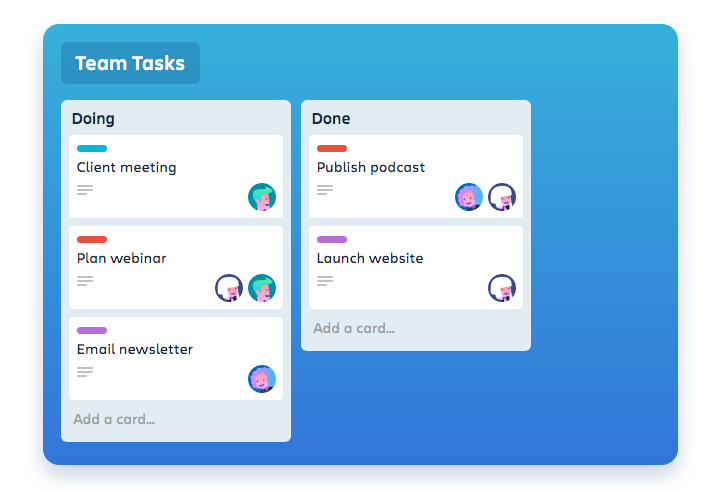
Trello is a productivity tool that helps you to keep track of your tasks in the form of lists. Cards can be created for each task and then can be arranged into separate lists, much like the example below.
This free tool also allows you to collaborate with your team members, assigning cards to them and tagging them in comments within cards. This is something that the teams at EKM use to keep track of their Sprints and have found it to be a very useful collaboration tool for the teams, particularly when working from home.
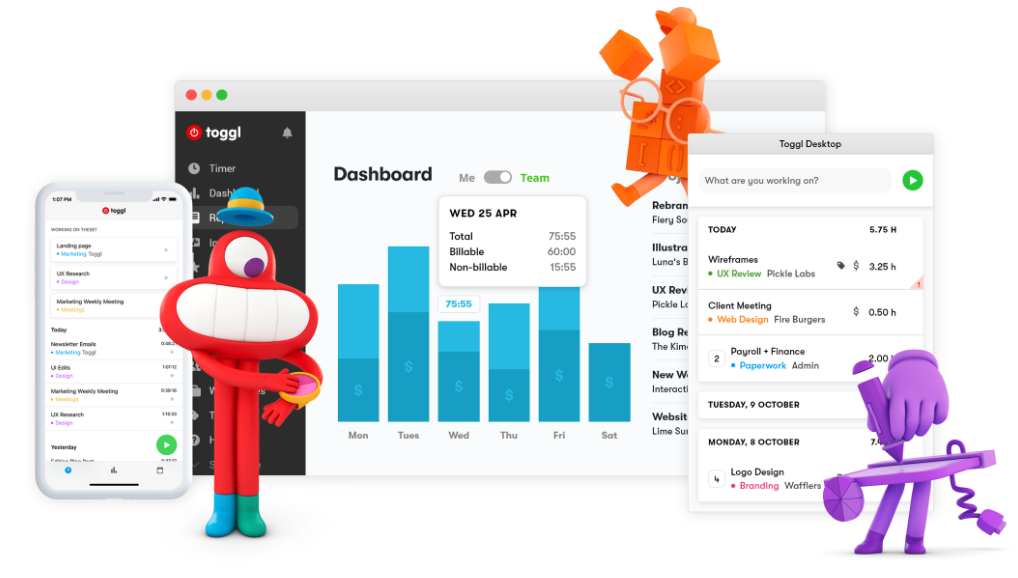
Toggl is a tool that helps you and your team keep track of the amount of time spent on tasks. As well as task reminders and idle detection, even when you forget, Toggl will have your back. Toggl can help you and your team know how much resource each task is using as well as over 100 app integrations.
3. Remote Desktop Software
Remote Desktop Software is an absolute must when working from home, especially with the current lockdown guidance and if your office or business premises is currently closed. You may not have everything you need at home so having the option to remote into your desktop in the office is always a good option to have.
You may already have software available but if you don’t and today is your last day in the office, make sure to install and set up one of the following remote desktop options.
Video conferencing for teams and speaking to clients is a must when working from home. Sometimes face to face is a better option than an email in some cases and Google Hangouts is a great easy and free option that almost everyone will have access to.
It’s a tool that the EKM Team has used since working from home to stay in touch with other team members, conducting meetings and attending sprint reviews around the business.
OmmWriter is a tool that helps you concentrate on writing, eliminating all other distractions from your computer screen, in a natural light setting. Using tools and methods to aid concentration such as natural backgrounds, focusing audio tracks and sound from typing.
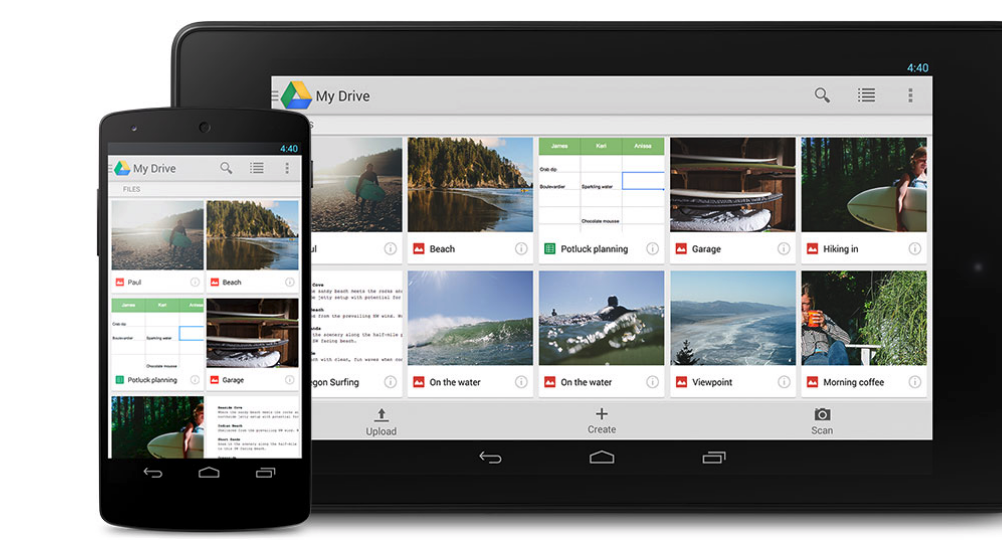
If you’re not already using Google Drive for your file storage and cloud sharing then where have you been? Google Drive is the perfect solution to store your documents and files in the cloud while also providing access to members of your team. Simply sign up for an account and back up all your important files and Google Drive can also serve as a great backup too.
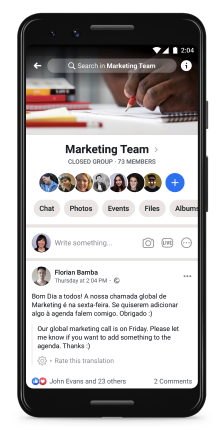
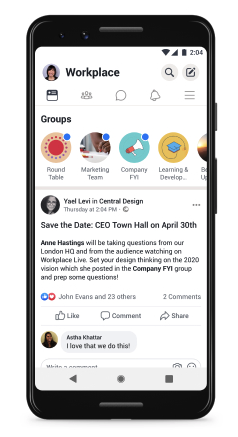
You may not have come across Workplace by Facebook before but it’s a really useful tool for teams. It’s essentially a work version of Facebook that you can create groups for different teams for example. It still includes the chat function as well as the pages function and the EKM team have been using it for some time now and find it useful when communicating with other team members.
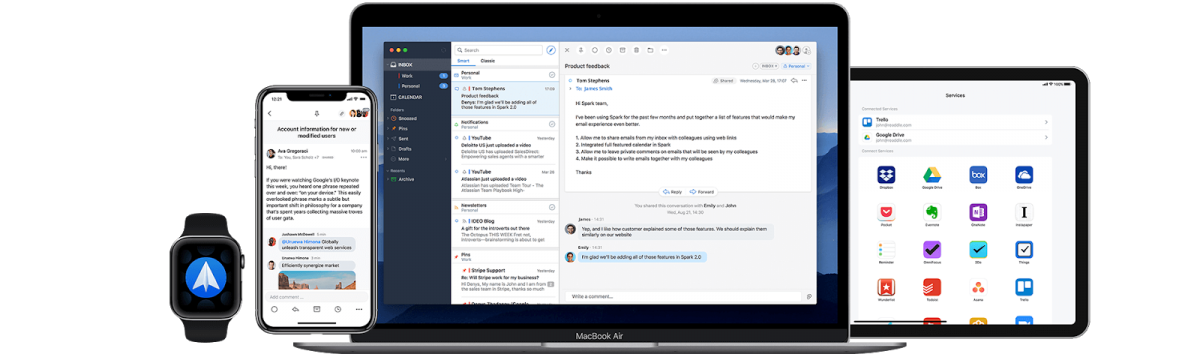
Spark is a tool that helps you take back control of your inbox. It helps you to prioritise your emails so you can focus on the email that matters, rather than scrolling through a ton of junk mail. With notifications set to only show when you have an email from a real person, you’ll be less distracted and more focused on the task at hand.
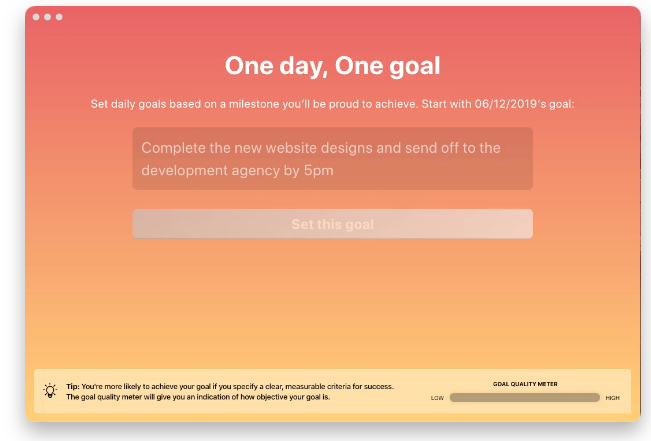
Serene is a programme that helps you to plan your day, minimises distractions and uses focus enhancing strategies to help you tackle the day. Not only can you block distracting sites such as social media platforms during specific hours but it helps you to focus on one task at a time.
10. Switch Off
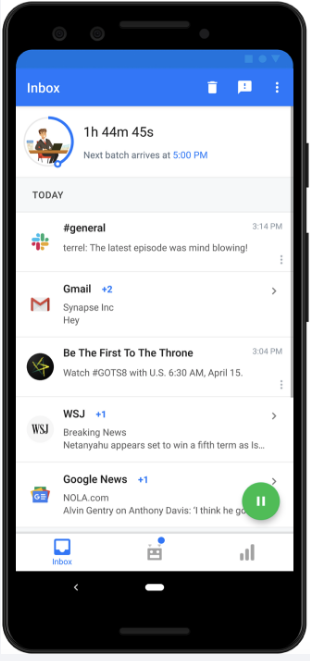
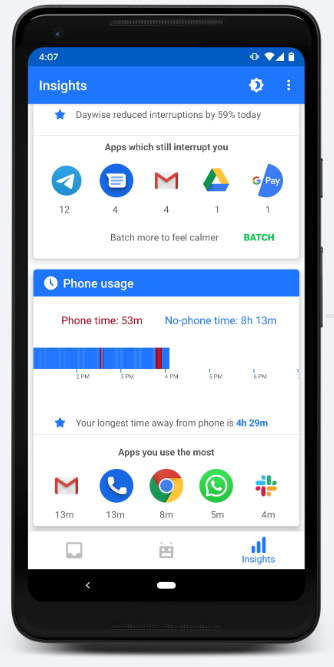
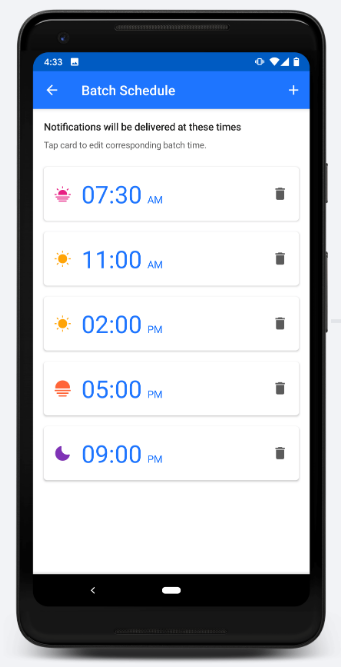
According toventureharbour.com22% of people working from home struggle to switch off and unplug after work. Apps likeDay Wisecan help you not only manage your notifications by having them delivered to you at particular points throughout your day but it also monitors your phone activity.
If being distracted throughout the day isn’t a problem for you, but rather you struggle to stop thinking about work after hours, then apps likeCalmcan help you to relax and unwind. Calm can help you improve your sleep, learn meditation and lots of other calming activities such as mindful movement and stretching.
Are there any other apps we’ve not included that you’ve found useful for working from home? Let us know!
If you’d like to learn more about setting up your own online shop, you can speak to our ecommerce experts on 0333 004 0333 or request a callback here.
This week, ecommerce software solution provider, xSellco, announced that it would be making its AI-powered helpdesk ‘eDesk’ free for 6 months. The hugely popular customer support platform is already used by over 1,000 online sellers worldwide and has won a number of top software awards since it was launched in 2018. New customers that avail of the initiative are under obligation to stay with eDesk after the free period, and there are no credit card requirements.
But how can eDesk make a difference? We looked at some of the most critical customer support issues happening right now and examined how eDesk solves them.
Moving everything online
With many high street retailers forced to temporarily close their doors, many businesses are being forced to jump online. Those that aren’t online already are setting up web stores or adding their products to marketplaces such as Amazon or eBay. Other hybrid companies, which have both offline and online presence, are adjusting to online-only. Operationally, this can be tough. eDesk brings all web stores, online marketplaces, email, and social media channels together on one single dashboard. This makes it far easier to manage, especially from a customer support perspective. There’s very little involved in setting up, so you and your team can get going pretty quick.
Surging customer support demands
These are uncertain times. For factories and delivery companies, it’s business as usual, to a certain extent. However, social distancing protocols can mean slower turnaround times. Struggling retailers are having to respond to an increase in customer support demands relating to supply chain, fulfilment processes and delivery timings. Already eDesk has reported an increase in activity across its entire customer base. Average daily order volumes have increased by 32% in the last 7 days. Similarly, eDesk has reported a rise in ticket volumes, which is up by over 38% in the past week. Looking specifically at its UK client base, orders are up by 37% in the past week alone. These figures suggest that online businesses are set to experience a huge increase in activity due to the closure of high street stores.
eDesk’s AI-powered software makes it much easier for online retailers to deal with customer support issues quickly and effectively, often in the click of a button.
Remote working teams
With government calls for workers to stay at home, remote working has been flung into the spotlight. For retailers, this presents a further challenge. Not only are they trying to move their products online. But they are doing so while managing remote teams, often for the very first time. eDesk makes this transition much easier to manage. eDesk’s secure cloud-based solution is ideal for remote teams. Innovative features such as Collision Detection support this also. Collision Detection alerts remote colleagues when they are dealing with the same customer query. Workers can also assign tickets to one another remotely and tag-team difficult queries together.
Maintaining SLAs
For online retailers, maintaining fast response times is essential. Efficient customer response times, maintaining SLAs and receiving positive reviews all impact ‘sales ranking’. For online sellers, sales ranking directly impacts sales, revenue and the bottom line. Supporting faster response times and helping retailers maintain SLAs is one of eDesk’s primary reasons for being. eDesk’s intuitive AI-powered customer support features are exactly why the platform is relied upon by online sellers worldwide.
The Covid-19 pandemic has created a number of challenges for businesses around the world. With this eDesk initiative, xSellco have handed online sellers a major support raft. For businesses trying to adjust to the online world, the chance to use a premium tool completely free, with no obligations or strings attached, is something worth grabbing.
The announcement will be seen as a major boost for retailers. Many businesses are scrambling to take their products online while also trying to overcome a number of difficult challenges that have emerged during the Covid-19 crisis. When launching the initiative, xSellco CEO Alex Payne said that if “we can help businesses get through the next few months, at least until the high street is back on track, we will have made a real difference to people’s livelihoods.”
For businesses around the country, the last month has felt like a lifetime.
But in the wake of an economic downturn, we’re noticing that in eCommerce, the response hasn’t been one of panic. In fact, what we’re seeing from many of our clients is a calm and measured approach.
This article, we’ll detail our observations in eCommerce during the pandemic so far. It will feature specific examples of how some of our clients have chosen to respond. We’ll also highlight four emerging trends during this period among our own eCommerce clients:
Staying the Course
Decreasing Ad Spend
Increasing Ad Spend
Fluctuations in Organic Traffic
Circumstances are bound to change in the coming days, weeks, and months. With that in mind, we’ll continue to update this post with how our clients adjust. Below is what we’ve gathered over the first few weeks since the economy took a turn for the worst.
Trend #1: Staying the Course in Light of the Crisis
Since COVID-19 caused major concerns in the U.S., this trend has been the most common response we’ve seen. Of 18 clients surveyed, 10 have chosen to wait and see how the pandemic unfolds. Most want to hold on making any drastic decisions.
After all, we only have a few weeks of data to work with at the moment. It’s not a bad idea to wait things out and gather more information before making any major moves.
Now for some of you reading, you may not be in a position to do that. Maybe you’re in an industry hit hard by the downturn. Or perhaps, you have a heavy reliance on cash flow to keep your business running.
But for most of our clients, the shock of the downturn hasn’t weakened the health of their business. And because of that, they don’t need to give up any ground on what they’ve already built (with SEO and paid advertising) in spite of the crisis.
What Staying The Course Looks Like for Some eCommerce Companies
Some companies we work with haven’t seen their business slip too much during the downturn. Meanwhile, there are others that have seen steep drops in results.
In either scenario, both kinds of companies aren’t hitting the panic button, yet.
Sporting Goods
We have a client in the sporting goods industry that specializes in fishing. In the immediate aftermath of the U.S.’s coronavirus wake-up call, they saw an initial drop in organic traffic. But in the week that followed, visits to their site followed an upward trajectory.
Users from Mar 1 – Mar 22 in 2020 vs. the same period in 2019, showing more traffic in 2020. We’ve intentionally hidden the traffic numbers for client privacy.
Now when you think about it, this isn’t all too surprising. Fishing is an outdoor activity you can do alone.
We recommended that they highlight this in their messaging. But other than that, they’re not planning to alter much of their strategy. The only changes they’ve made is to postpone the launch of their blog, which they had planned for this time.
Baby Products
Another company we work with sells high-end baby products. Unlike the business above, they’ve had significant decreases in sales from PPC. They’ve generated less organic traffic, too.
The drop in search traffic is likely due to their consumers’ behavior. Luxury baby products are likely the least of their concerns right now. Despite the decreases, the company isstillon track to hit its first quarter goals. Although things are changing rapidly, the current plan is to focus more on marketing essential baby products to meet current consumer buying habits.
Trend #2: Decreasing Ad Spend
While most stand pat, we’ve seen some eCommerce companies make cuts to their PPC spend. In fact, 3 out of the 18 companies we surveyed have chosen to do this. Some have to do this because their industries are obviously hard hit by COVID-19 (e.g. travel). For others, it may be more subtle issues. Below are some examples.
Travel
Here is an example of industry proving to be a major factor. This particular eCommerce company we work with is in the travel business.
Decreasing ad spend has helped some of our partners find their footing. That’s been the case for one eCommerce company we work with that specializes in home improvement.
Before the downturn, we had been helping them recover from a slight decline in SEO. This was due to Google’s latest algorithm updates. Then, the pandemic took center stage, which caused a decrease in search volume in their space.
As a result of lower demand, they also chose to trim their PPC budget. But so far into the crisis, we’ve seen an exponential increase in ROAS (12x now compared to 7x in the previous period) for their campaigns. This is due to lower CPCs (costs per click), and cutting PPC budgets in less efficient areas. This combination cut costs by around 70%, but the revenue drop was only 45% lower. Therefore, we were able to maintain far more revenue than the amount of ad spend that we cut. This led the account, as a whole, to see a sizable increase in ROAS.
Trend #3: Increasing Ad Spend
We’ve also seen a select number of eCommerce companies who’ve enjoyed an uptick in business. In particular, one of the companies we work with has already decided to increase their spend. Meanwhile, another is on the verge of recalibrating their promotional efforts.
What Increasing Ad Spend Looks Like for Some eCommerce Companies
Similar to businesses who’ve been forced to lower their budget because their industry is hard hit by the current crisis, some eCommerce companies stand to get a sales increase from this situation.
For example, some companies sell products that their customers can’t get anywhere else right now. As a result, stay-at-home orders have actually boosted their sales.
Rather than standing pat, these companies have decided to act. To take advantage of the opportunity, they’ve chosen to scale up their PPC budgets.
Pet Supplies
Take, for example, one business we work with that sells pet supplies. Instead of pulling back, they’ve chosen to become more aggressive. They hope to capture as much new business as possible.
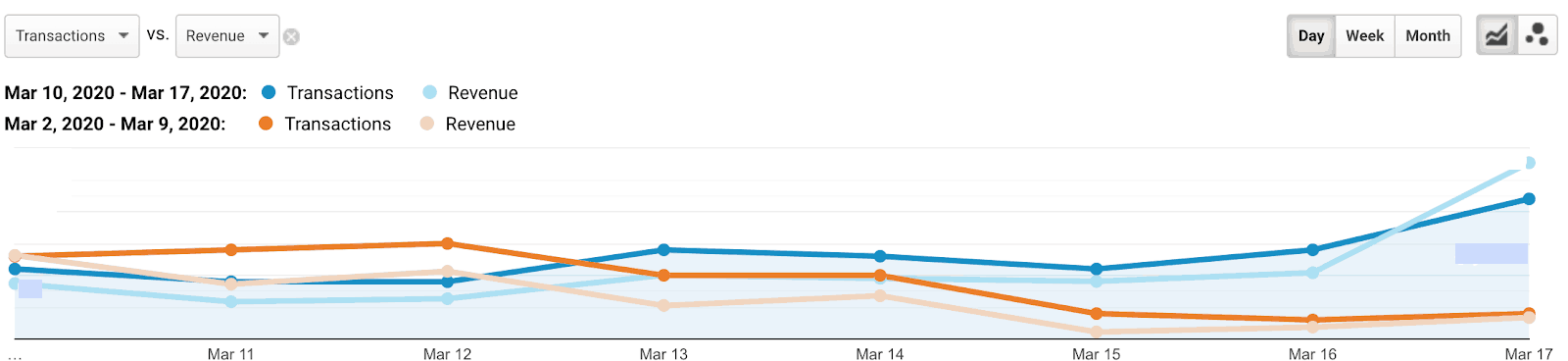
The data we’ve seen since the outbreak supports their decision. Key metrics like transactions, revenue, and ROAS have all been on the rise.
Revenue Enjoying an Upward Trajectory Despite the Downturn
Our assumption is that eCommerce has become a focus for pet owners in light of the pandemic. Many physical retailers have had to close due to stay-at-home orders around the country. That’s likely forced many pet owners to buy online.
Magazines
Another company we work with sells magazine subscriptions. Despite the downturn, they expect their sales to remain steady.
Why? Because they sell a product that people staying at home have time to use.
They haven’t decided to increase their spend yet, but they’re mulling the possibility. If they do, they may make their digital magazine selection the focus of their new promotions.
Trend #4: Decreases in Organic Traffic
Many of our clients have seen their traffic from Google take a hit during the crisis. Of the 18 companies we surveyed, 4 saw their traffic drop in the days that followed the initial downturn.
This could be because some of the products they sell are non-essential. It’s also possible that many consumers are directing their searches to the topics related to the pandemic instead.
How Some eCommerce Companies Have Chosen to Respond
Decreases in SEO traffic have ranged from significant to slight. For some companies, a decrease in search volume across their niche is the cause. For others, we’ve seen a slight week over week or short term traffic decline, but they are overall still performing better than the previous year.
Homeware and Household
We have one eCommerce company that’s in the home improvement business. They experienced a sharp decrease in traffic in the days after Wednesday, March 11th. If you recall, this was the day when these four news stories broke:
The World Health Organization officially declared COVID-19 a pandemic.
President Donald Trump restricted travel to and from Europe.
The NBA postponed its season after one of its best players tested positive for the virus.
Tom Hanks and his wife, Rita Wilson, announced on Twitter that they had COVID-19.
The drop in traffic concerned them at first. But they felt relieved to hear that they weren’t alone in their experience, too.
Mobile Accessories
These decreases haven’t scared most of our clients away from pushing onward. One company we work with sells mobile accessories. Instead of scaling back, they’ve approved us to ramp up their SEO efforts.
In April, our plan for this client is to start investing more in the following facets of SEO:
Link building
Creating more content
Re-optimizing any existing pages on their site.
Looking at eCommerce Marketing Long-Term
For the large majority of clients we’ve talked to thus far, the common theme is patience. They see this pandemic as a short-term disruption to business. It hasn’t spooked them into making major changes yet because events continue to unfold.
This is a testament to the kinds of businesses our eCommerce clients have built. Many of them did the hard work of fortifying their companies before disaster struck.
Some are even hopeful about the long-term prospects of their business. Remember the company that sells suburban Home Architectural and Design products? It isn’t farfetched to assume COVID-19’s impact on cities may motivate more people to move out of cities, resulting in new constructions (in suburban areas), thereby increasing demand for our client’s products.
The immediate future is murky. But in spite of the pandemic, the long-term outlook for most of our clients remains optimistic. Before making any drastic changes, they’d like more information. The only way to achieve that is by weathering the current storm with calm.
Further Reading
If you’re debating what to do on the marketing front for your eCommerce store, here are a few additional articles that could help.
Increasing your website traffic will lead to growth for your eCommerce store. As an eCommerce marketing agency, we help businesses everyday to evaluate the effectiveness of marketing efforts, learn more about their buyer personas and generate more revenue. That's why we've outlined six easy ways to increase visitors to your online store.
How to Increase eCommerce Traffic
Content marketing
Search engine optimization
Email marketing
Landing pages
PPC campaign
Affiliate marketing
Content Marketing
Publishing valuable content frequently and consistently is an effective way to drive traffic to your online store. Posting information, news and entertainment that's relevant to your industry helps to establish your credibility as an industry expert and encourages people to visit your online store without the pressure of making a purchase decision.
It's important to note that not all content needs to be new and original. There's value in refurbishing old content, sharing external sources and highlighting user-generated content (UGC).
To best meet the needs of your target audience, this content should vary in length and type. It may take the form of blog posts, videos, infographics and social media posts. It should also be easily shareable to maximize reach potential, so make sure you have social sharing plugins on all of your content.
Search Engine Optimization
As you generate quality content, it’s important to think about how your target audience will find your content. This is where search engine optimization (SEO) comes into play.
Improving how your online store ranks in search engines helps to increase the number of potential leads that visit your site. The following SEO tactics highlight a few of the many ways to drive traffic to your eCommerce store.
Improve site formatting on mobile devices
Optimize for fast load times
Incorporate customer review system that supports UGC
Ensure URLs and canonical tags are clean and simple
Construct detailed meta titles and descriptions
Include external links to relevant industry experts
Develop a web of internal links
Find a balance between integrating important long-tailed keywords and keyword stuffing
We recommend using any of these eCommerce SEO tools to monitor your search engine rankings and visibility.
Email Marketing
Nobody enjoys being bombarded by promotional emails. However, a targeted and personalized approach to email marketing can be a powerful tool to increase site traffic. Creating a personalized experience with your brand through contact management and segmentation can ensure that your customer base is receiving emails they will love.
Segmentation based on where an individual is in the buyer’s journey is especially effective. For example, you may wish to send previous customers personalized promotional campaigns and encourage customers who abandoned a shopping cart to complete their transaction.
As with content marketing, it is important to implement an automated email schedule so that messages send on a consistent basis. Well placed, visually appealing CTAs will direct contacts to the coinciding landing page.
From laying a strong foundation to generating revenue from abandoned carts, we've broken down all you need to know with this comprehensive eCommerce email marketing guide.
Landing Pages
Driving traffic to your homepage may be the most intuitive practice, but homepages are actually less likely to convert potential customers than highly specific landing pages.
Landing pages help to individualize your tailored ad experience and improve your ability to better evaluate the effectiveness of campaigns by distinguishing regular site traffic from ad-generated traffic.
When it comes to landings pages, it is crucial that your CTA, value proposition and product information are crystal clear. You may also find that providing incentives or encouraging cross-sells can help you impact your bottom line.
PPC Campaign
Pay-per-click (PPC) campaigns have the ability to drive traffic to your online store from a variety of sources. Purchasing keywords with providers such as Google Ads can increase your traffic from search engines.
While high search volume keywords may seem the most effective way to increase traffic, prioritizing commercial intent keywords will ensure that traffic increases will simultaneously increase conversion rates. To evaluate the performance of these paid search tactics, examine the clicks, costs and revenues of your campaign through Google Analytics.
Additionally, hyper-targeting advertisements across platforms such as Facebook, Instagram and Twitter allow you to deliver relevant content and promotions directly to your most qualified leads. Like email marketing, these paid advertisements should utilize landing pages to increase conversion rates.
Affiliate Marketing
Participating in an affiliate program can increase your site traffic by leveraging the audiences of relevant companies. Affiliate marketing entails offering a commission on generated sales in exchange for positive reviews and word-of-mouth marketing services. This allows you to take a hands-free approach with low risk.
Partnering with businesses that your customers already trust is a great way to promote your products and services and bring them to your online store. You can also partner up with social media influencers that are followed by your target audience.
Conclusion
Outperform competitors by being proactive in how you facilitate organic and paid traffic. Every aspect of yourinbound marketing strategyshould be intentional and strategically catered towards increasing the number of qualified leads visiting your online store.
As your inbound strategy continues to evolve, Google Analytics can help you gain insight into who is visiting your site, where the traffic is originating from and what campaigns are the most effective.
If you have additional questions or are interested in learning how Groove can help you boost your eCommerce traffic, contact our team through the form below orrequest a complimentary website assessment. We'll be happy to help!
from Groove Commerce Blog https://ift.tt/3bJK3r3 via IFTTT
Whether you’re spending three or six figures a month on search ads, every profitable Google AdWords campaign begins with a solid foundation. If you don't know where to start, we're here to help your business increase AdWords conversions.
How to Increase AdWords Conversions:
If you're looking to improve performance, drive more leads and increase AdWords conversions, we recommend following the tips below:
Create a mobile-friendly landing page
Limit contact form fields
Implement ad extensions
Give something away
Test and improve
1. Create A Mobile-Friendly Landing Page
So you’re ready to make a purchase online, arrive at checkout and have to zoom in three times to fill out your credit card information. Yikes. As mobile surpasses desktop traffic for many companies, it’s more important than ever to design a mobile-first experience.
So what exactly does that mean? First and foremost, your landing page should be responsive. This means that your site should adapt at different breakpoints to ensure an intuitive user experience on all devices. Your site should also load quickly on mobile to reduce drop-off and create a stronger path to conversion.
Mobile landing pages are essential for AdWords success. When it comes to PPC, your company has a very short amount of time to pull in users and drive them to convert.
The last thing you want is to create friction during the conversion process. That’s why greeting visitors with a mobile optimized landing page (and form) can increase user experience and drive conversions.
2. Limit Contact Form Fields
Marketers love contact information. However, let’s be real – no one likes filling out forms. In fact, making forms too long can create a barrier for AdWords traffic you’re trying to convert. The tricky part is finding the balance between getting what you need and not asking for more.
The number of form fields you include obviously depends on your company’s goals. However, asking for a first name, email address and a comment is a safe place to start.
By limiting your contact form to 4 fields, you reduce the amount of work your user needs to complete. As a result, they may be more likely to fill out the form, which is a win-win.
3. Implement Ad Extensions
Google AdWords is equipped with a wide range of ad extensions designed to increase website traffic and improve conversion rates. Google even reports that including extensions in your ads can improve your ad quality score. Some of our favorites include:
Location extensions
Call extensions
Callout extensions
Review extensions
Location Extensions
Location extensions display your business address, phone number and a map marker within your AdWords ad. For mobile ads, you can even use a direction link so that searchers can easily get directions to your business.
Call Extensions
Call extensions display your phone number within ads, making it easy for searchers to call your business. Google reports that click through rates can increase as much as 6% to 8% when an ad includes call extensions.
Callout Extensions
Callout extensions (not to be confused with call extensions) let you insert extra text within your ads. Try using these extensions to feature products, services or special offers.
Review Extensions
Review extensions let you feature third-party reviews in your ads. This increases the credibility of your product or service, which can drive more leads and conversions.
4. Give Something Away
When it come to PPC, incentives can be a fantastic way to drive conversion. Although you won’t want to give away the whole store, offering something small can have a big impact on your conversion rate.
If you’re an eCommerce business, offering a free sample, free shipping or a special discount can be the motivation your potential customers need. On the flip side, B2B companies can offer advanced content such as eBooks, guides, FAQs and PDF downloads to push users down the funnel to convert.
5. Test and Improve
This might be the most important tip on this list. You must test your titles, copy, ad pages and extensions to make sure your ads meet expectations and are converting. Testing will expose issues and help you improve performance over time.
If you don’t have a dedicated AdWords professional on staff, we recommend monitoring performance on a weekly basis to see what’s working and what isn’t. From there, try implementing small tests to improve performance.
Conclusion
Make your Google AdWords efforts worthwhile by following these 5 tips to increase AdWords conversions.Whether you’re making your first dive into AdWords or just need a second opinion, we’re here to help.
We’re even offering a free eCommerce assessment to audit where you are today and set you up for success. If you have any additional questions or concerns, contact us through the form below and our team will be happy to help.
from Groove Commerce Blog https://ift.tt/3bJuaku via IFTTT
DoorDashannounced today it’s expanding beyond food to also deliver from convenience stores, like 7-Eleven, Wawa, Circle K, Casey’s General Store and others. The service is partnering with more than 1,800 convenience store locations across the U.S. in order to provide easy access to household essentials like toilet paper, cleaning supplies and over-the-counter medicine, as well as hot and cold foods, drinks, snacks and more.
The expansion comes at a time when customers are staying home due to the COVID-19 outbreak, which has driven grocery delivery apps to record usage. But it doesn’t make financial sense to place a grocery delivery order, with its built-in fees and limited time slots, when you only need a few household items. That’s sent consumers out to convenience stores, which are considered essential businesses even during lockdown orders from local governments.
But unfortunately, that means consumers are risking exposing themselves to COVID-19 just because they needed a roll of toilet paper, for example.
For less urgent household needs, consumers have been placing Amazon orders. In fact, they sent so many orders that Amazon even had to temporarily close its household goods delivery service, Amazon Pantry, as it cratered under increased order volumes.
DoorDash says it began to test convenience store delivery earlier this year but has accelerated the launch in response to the COVID-19 pandemic, when options for pickup and delivery services have become vital. It had been previously working with 7-Eleven to power its own 7Now delivery app through its white-label delivery solution, DoorDash Drive. It then became the first convenience store partner during pilot testing within the DoorDash app.
The fee structure for convenience stores merchants is the same as other merchants — each is a unique contract based on their needs.
At launch, the new Convenience category will appear in a banner at the top of the DoorDash app. You can then add items to your cart as usual. The order will be delivered to your doorstep through a non-contact, drop-off option or they can be picked up, depending on availability.
“Local businesses have been forced to change how they operate, and through this effort we hope to support and empower franchise owners and local convenience stores to reach customers through the DoorDash platform,” notes a company blog post authored by Mike Goldblatt, DoorDash’s head of Grocery Partnerships, and Fuad Hannon, head of New Business Verticals.
The company plans to add more convenience stores to the app on a daily basis, as the category expands. So if you don’t see any options today, you may soon.
DoorDash isn’t the only company now working to deliver household items outside of grocery stores. Yesterday, Walgreens announced an expanded partnership with Postmates to deliver from over 7,000 stores.
from eCommerce – TechCrunch https://ift.tt/2X2nqKi via IFTTT


 from Ecommerce Blog https://ift.tt/2xHcW8F







 The coronavirus pandemic has upended plans all over the globe in the past few months — from events and vacations to…





