Showing posts with label Ecommerce Platforms. Show all posts

Chargebee vs Chargify (Nov 2020): The Battle of The Recurring Billing Platforms

Any business owner, big or small, knows they have to get their billing system in order – and there’s no better way than using a recurring billing platform if you want speed, accuracy, and reliability.

So, we’re going to look at two big players in the market: Chargebee and Chargify. More specifically, who they are, their core features, pros, cons, pricing, and integrations. By doing this, we hope to give you a better idea of which of these two solutions best suits your business needs.

So, let’s move on quickly and dive into the details of this Chargebee vs Chargify review.

Who’s Chargebee?

Chargebee vs Chargify

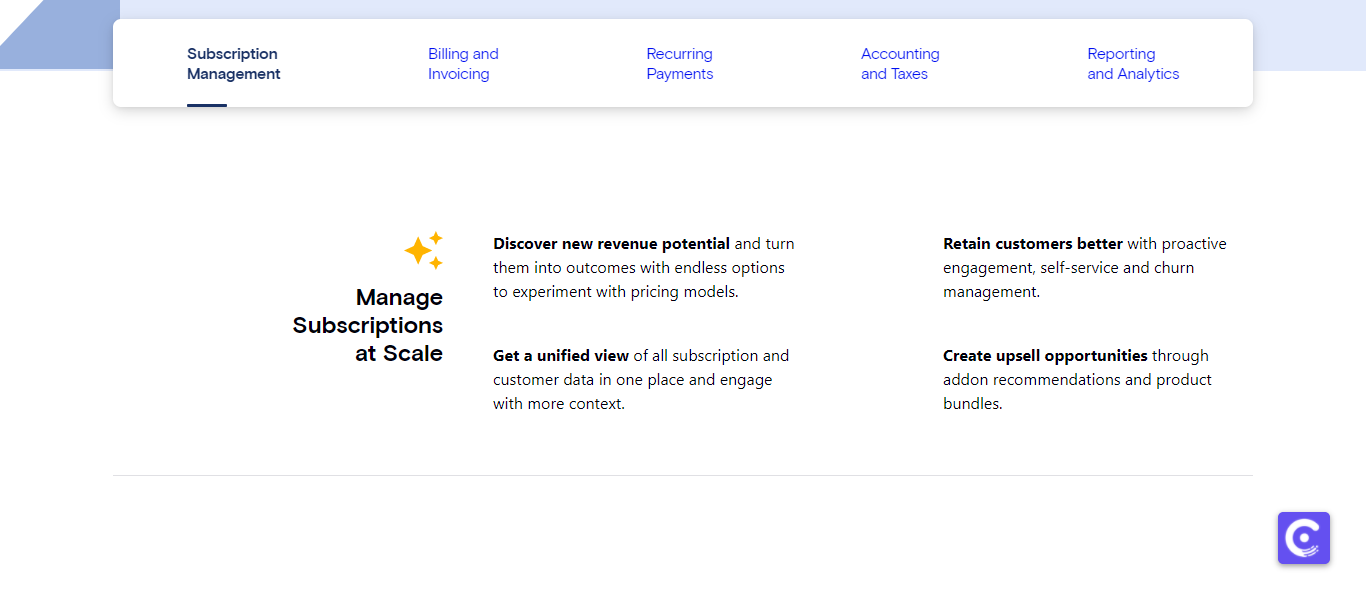
Chargebee is software aimed at solopreneurs, mid-sized, and larger businesses. It makes it simple to automate billing, recurring payments, subscription billing management, accounting, taxes, and generate reports and analytics. Chargebee’s features are tailored to help businesses deal with differing financial priorities as they grow.

This platform can fully integrate with your existing tech to ensure your sales, marketing, customer experience solutions, etc., fits in nicely with your payment cycle.

For more information about who Chargebee.com, check out our full Chargebee review.

Chargebee vs Chargify: Chargebee's Core Features
Chargebee vs Chargify

Chargebee's most noteworthy features are as follows:

  • Invoicing tools
  • Calendar billing
  • Credit notes
  • Payments and checkout methods
  • EU VAT support
  • Email management tools
  • Access to alternative payment methods such as ACH, PayPal, Braintree, Amazon, SEPA credit and GoCardless
  • Reporting tools – including tax and abandoned cart reports
  • You can customize user roles and permissions for your team members.
  • You can customize themes for hosted pages.
  • Fraud management
  • Dunning
  • Email templates
  • Customer support

Chargebee vs Chargify: Chargebee Integrations
Chargebee vs Chargify

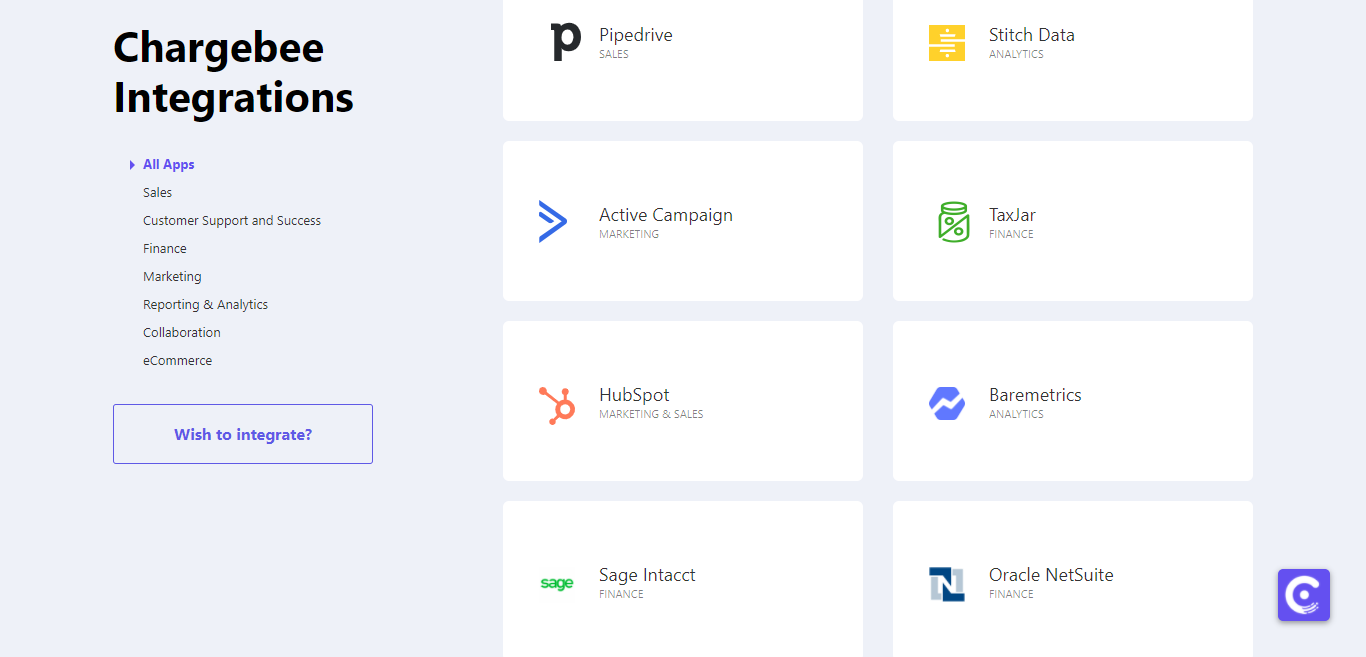
Chargebee boasts a generous list of add-ons, which are split into the following categories: sales, customer support, finance, marketing, reporting and analytics, collaboration, and eCommerce.

Some of their more popular integrations include:

  • Hubspot
  • Zendesk
  • Xero
  • Zapier
  • MailChimp
  • Slack
  • Salesforce (Great for customer management!)
  • Stripe
  • Shopify

…And there's plenty more to choose from.

Chargebee vs Chargify: Chargebee’s Pros and Cons

Here are just a few of the reasons why we think Chargebee is worth exploring a little more:

The Pros 👍

  • Ease of use is at the heart of this cloud-based platform.
  • It offers a free plan if you’re a startup making less than $50k a year.
  • There are tons of integrations you can download and use to boost Chargebee's overall functionality.
  • It has a wide choice (32 in total!) of payment platforms, including PayPal, Stripe, and GoCardless.
  • You can offer customers a self service portal, where they can manage their subscriptions and customer details with just a few clicks.
  • Its dashboard is nothing short of intuitive – so you can check your revenues with just a glance.
  • It offers customers phone and online support.
  • It's secure. Your data is kept safely in safe data centers that protect users from man in the middle (MITM) cyber attacks or distributed denial of service (DDOS).

And now for the less favorable aspects of Chargebee…

The Cons 👎

  • There’s no free trial, although you can ask for a free demo.
  • Price plans are expensive unless you’re a startup, so as soon as you hit more than $50K in yearly profits, you’re in for a significant business outlay.
  • It’s not optimized for mobile use, which can make life difficult if you work on-the-go.
  • One customer disliked that you have to change your password every 90 days.
  • Some users complain that the dashboard isn’t as user friendly as other platforms. However, it may be that because the platform has tons of features, users find this overwhelming at first.

Chargebee vs Chargify: Chargebee’s Prices
Chargebee vs Chargify

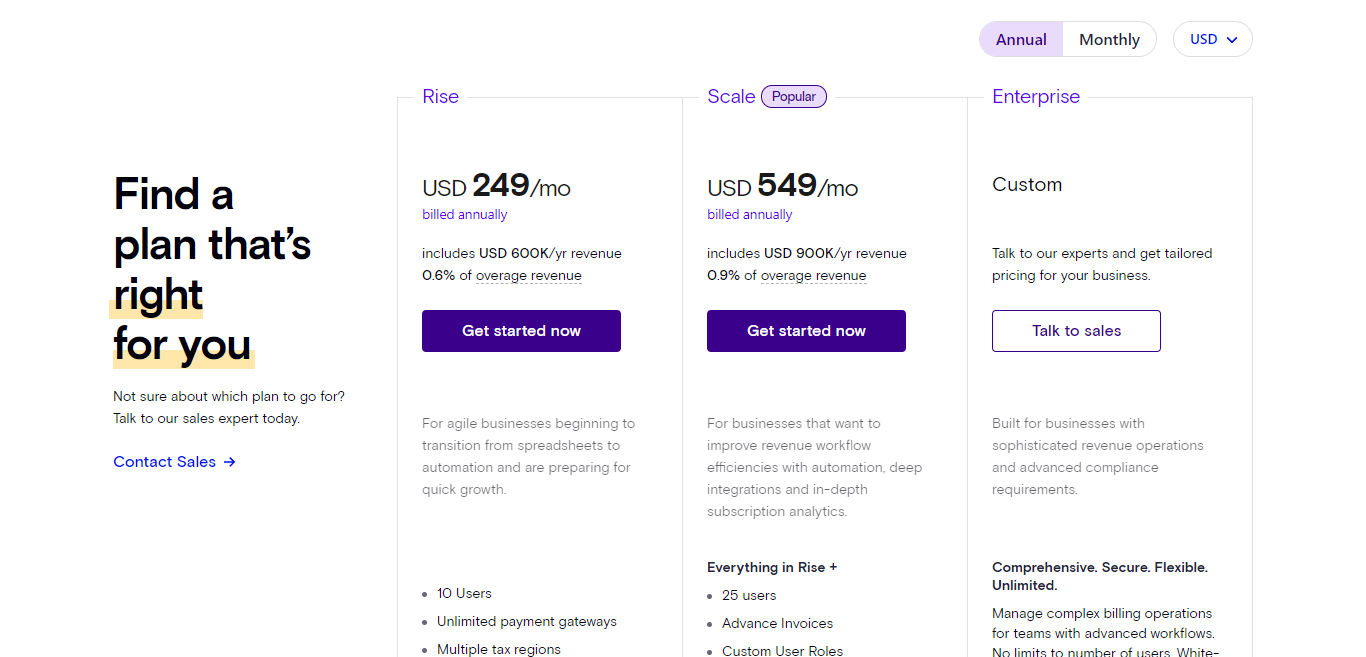
There are three price packages to choose from: Rise, Scale (the most popular), and Enterprise. You can pay either monthly or annually, and if you do the latter, it’s cheaper.

Here are a few details about each price plan:

The Rise Plan

Costing $249/mo if paid annually, it’s aimed at agile businesses moving from traditional spreadsheets to automation and hoping for rapid business growth.

This plan is best suited for businesses generating $600,000 in annual revenue and 0.6% of overage revenue. This plan gives you:

  • Unlimited payment gateways
  • You can register ten users.
  • You can handle tax across multiple regions.
  • SaaS metrics
  • Xero, QuickBooks, Salesforce, and Avalara integrations
  • Chargebee RevenueStory

The Scale Plan

This will cost you $549/mo billed annually and is aimed more at businesses that want access to deep integrations and in-depth analytics. The Scale plan is designed for organizations generating an annual revenue of $900,000 and 0.9% of overage revenue.

If you go for this plan, you get everything in the Rise plan plus:

  • Advance invoices
  • You can register 25 users.
  • Custom user roles
  • Multiple payment methods
  • Multiple tax profiles
  • Priority phone support
  • NetSuite & Intacct integrations

The Enterprise Plan

Finally, the Enterprise Plan is a custom package, so no prices were available to see at the time of writing. You'll have to contact Chargebee directly for a quote. It’s really for bigger businesses with more complex revenue streams and compliance needs.

Here, you get everything listed in the Rise and Scale plans and:

  • You can register unlimited numbers of users.
  • White glove customer support from setup, migration, and beyond

Who’s Chargify?

Chargebee vs Chargify

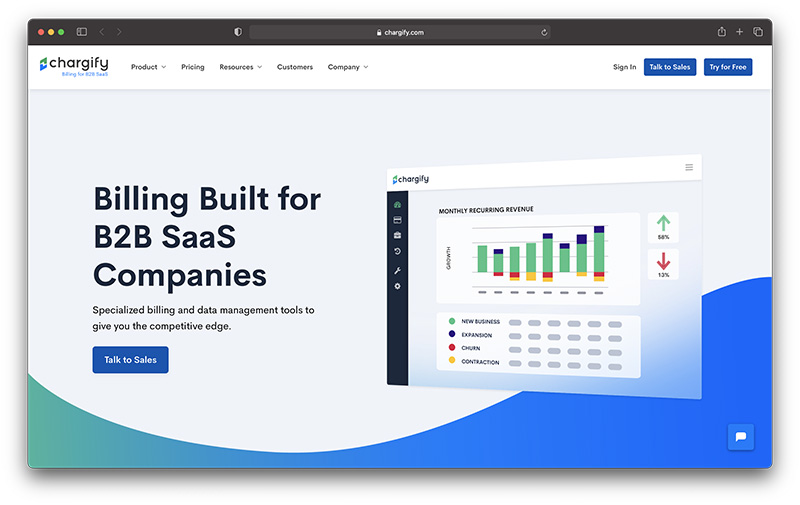
Chargify is also a platform that describes itself as the only “billing and subscription management solution built for B2B SaaS companies.” It offers users billing, accounting management, analytics, and reporting functionality, subscription management tools, and, like Chargebee, a long list of integrations.

Chargify has a variety of pricing options available. The one you opt for will most likely depend on your business size. They have programs catering to everyone, from entrepreneurial startups to small businesses and larger enterprises. However, like Chargebee, this software undoubtedly focuses on recurring billing and subscription management, emphasizing decreasing churn.

Chargebee vs Chargify: Chargify's Core Features
Chargebee vs Chargify

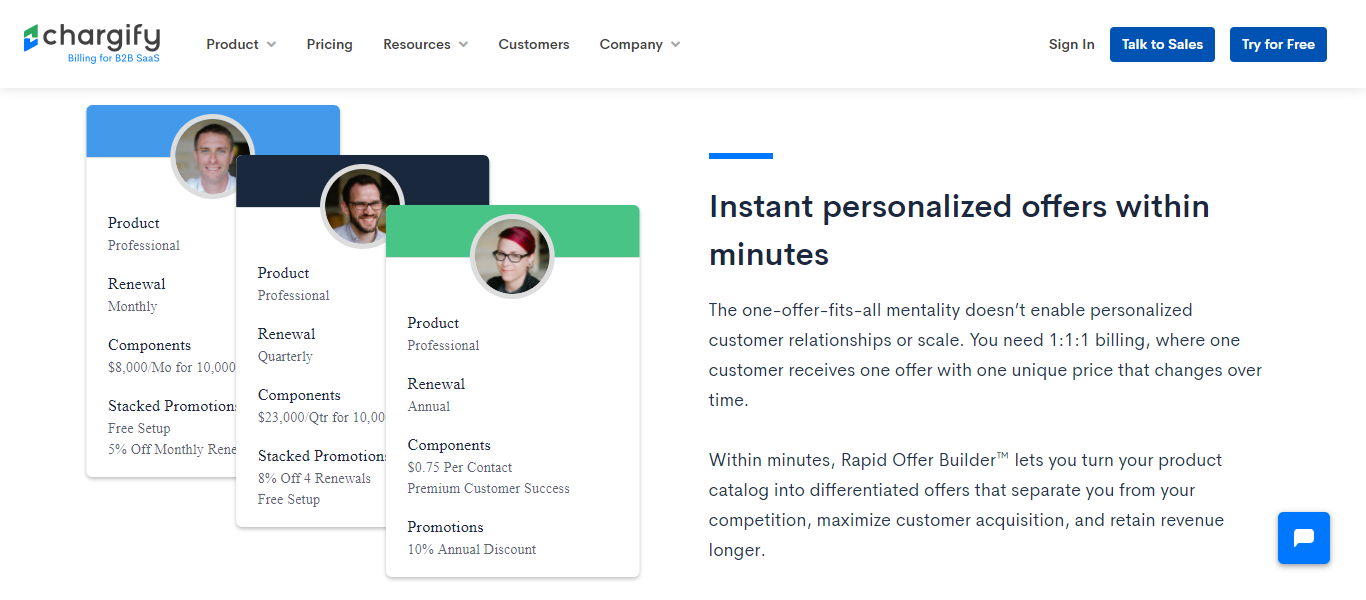
Here’s a glance at Chargify’s most noteworthy features:

  • Billing tools including automated billing
  • Revenue optimization features
  • Dunning management
  • Revenue recognition
  • Revenue forecasting
  • Customer churn tracking
  • Analytics and reporting functionality
  • Personalized billing
  • Tracking for the performance of your subscription packages (including cancellations)
  • Order management
  • A dashboard that provides you with real-time insights

Chargebee vs Chargify: Chargify Integrations
Chargebee vs Chargify

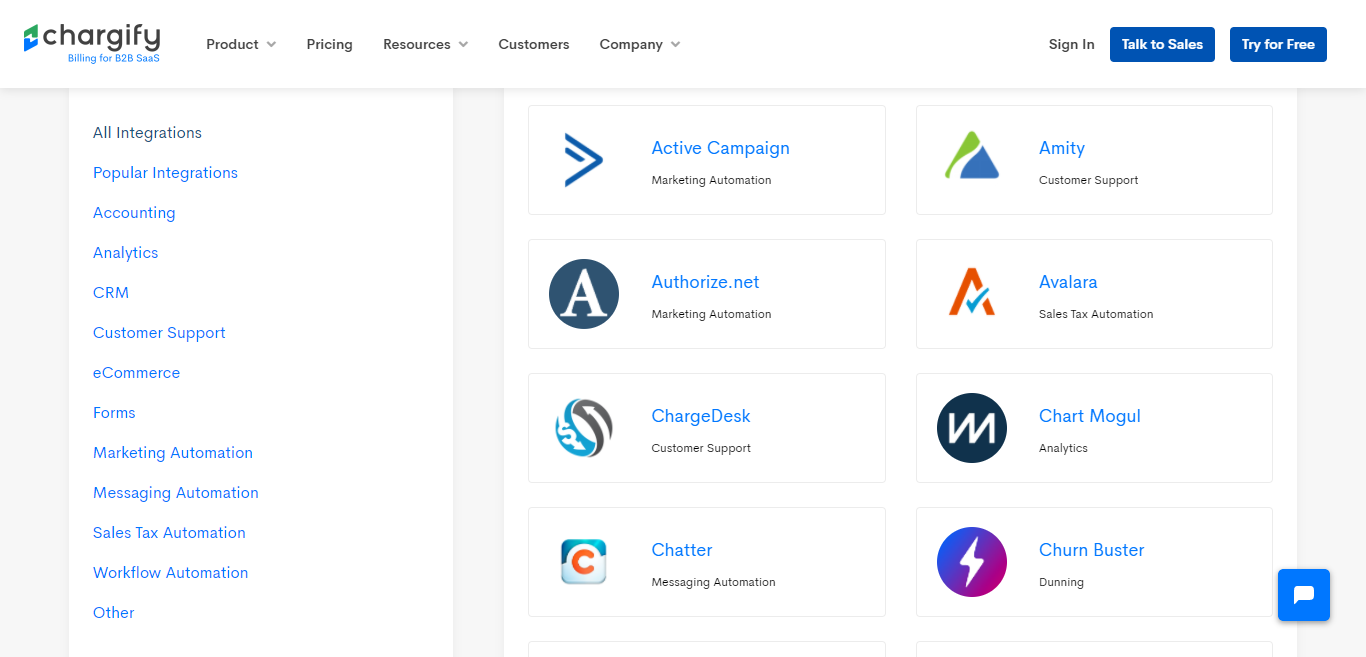
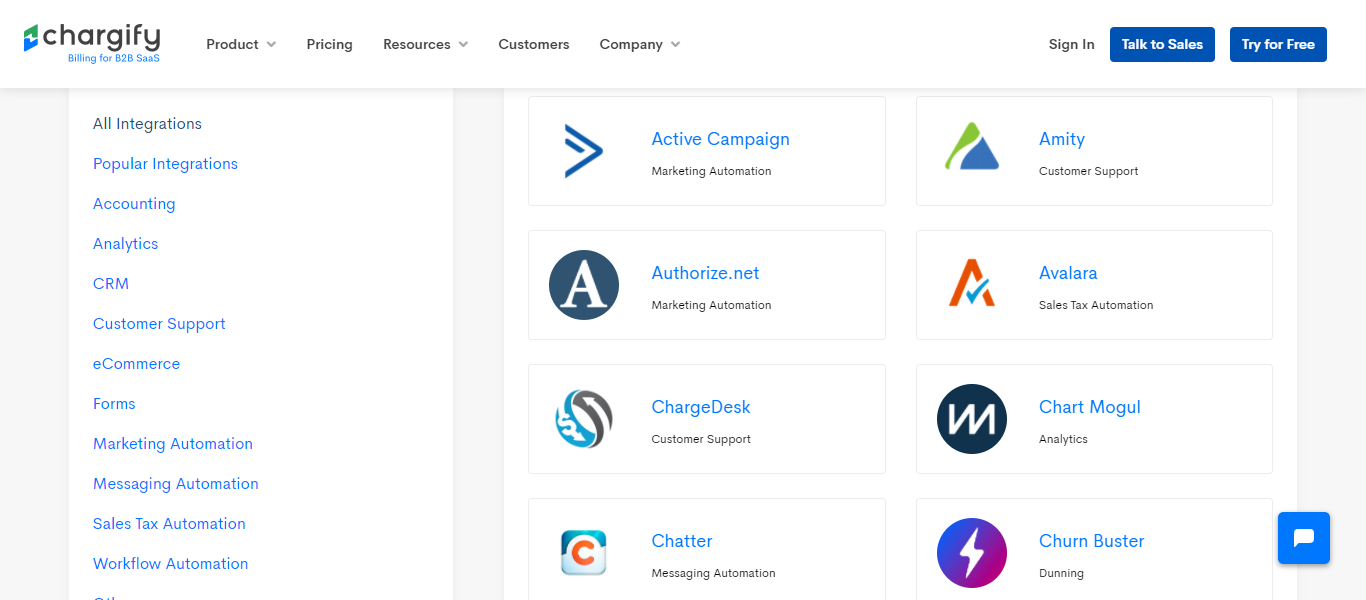
Like its counterpart, Chargify also offers multiple integrations that are categorized as follows: accounting, analytics, CRM, customer support, eCommerce, forms, marketing, messaging, sales tax, and workflow automation.

Here’s just a few of the plugins on offer:

  • Zendesk
  • Quickbooks
  • Shopify
  • Authorize.net
  • Hubspot
  • Salesforce
  • MailChimp
  • NetSuite
  • Zapier

Chargebee vs Chargify: Chargify's Pros and Cons

Now, let’s take a look at some of Chargify's pros and cons:

The Pros 👍

  • You're not tied into any lengthy contracts
  • There are lots of integrations for you to download and use
  • 24/7 phone support
  • You get access to a real-time dashboard
  • You get access to Chargify's API, so if you have the coding smarts, you can tweak the platform to make it your own
  • There's a free trial
  • It handles most billing scenarios – monthly, trial periods, automated billing…to name a few!
  • High-security levels are in place to protect your data, including PCI DSS Level 1 compliance.
  • Some user reviews report that they like the reporting functions
  • Dunning automatically handles any missed payments from debit or credit cards.

The Cons 👎

  • Fees can be expensive (like Chargebee)
  • Some reviewers found it hard to set up with a lot to manage on the dashboard

Chargebee vs Chargify: Chargify Prices
Chargebee vs Chargify

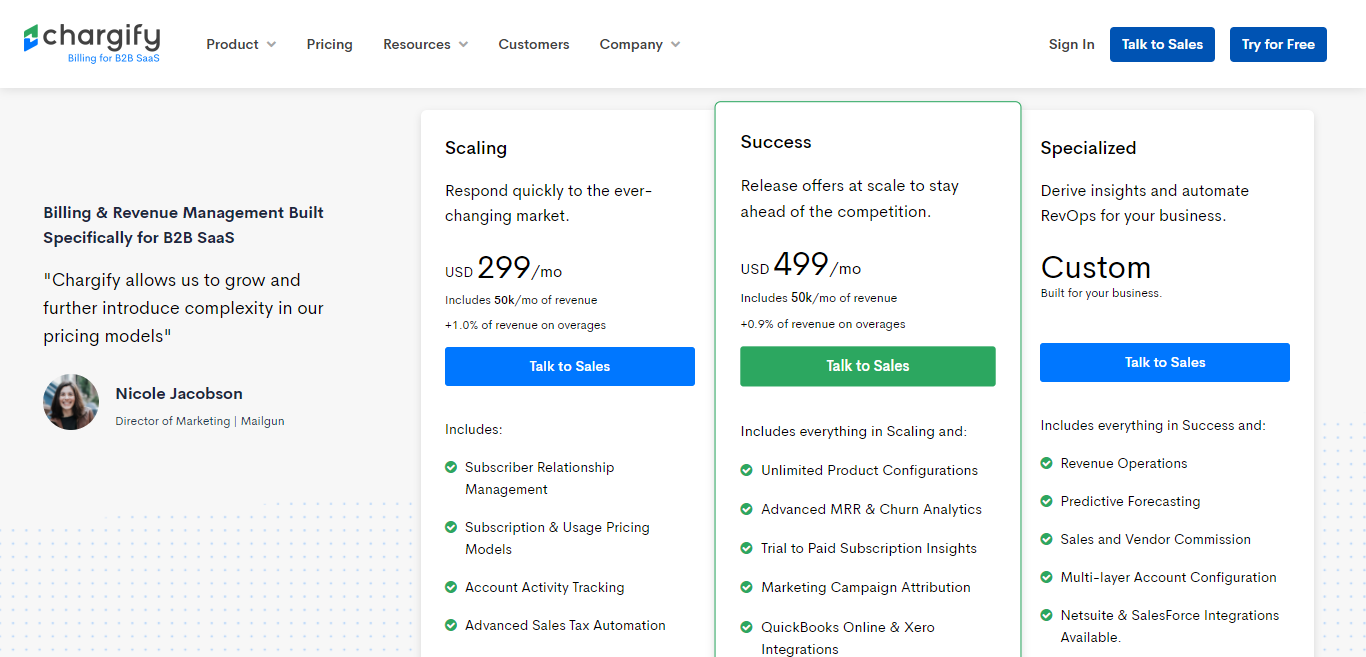
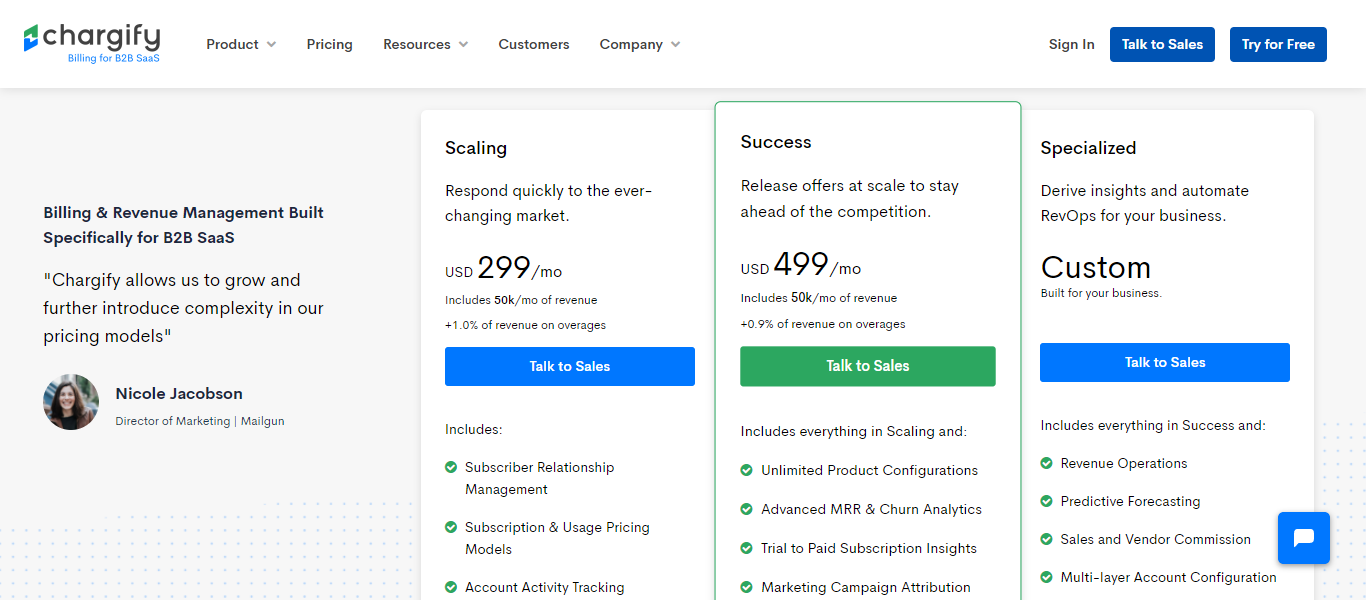
Chargify has four pricing plans to choose from: The Starter plan, Scaling plan, Success plan, and the Specialized plan. Prices are listed monthly. Let’s take a look at each package, in turn, to see what they have to offer:

The Starter Plan

This costs $149 a month with 1.5% on overages. Here you get access to:

  • One live site
  • You can register up to five users
  • Reporting and analytics (these come in handy for monitoring the lifecycles of your subscribers)
  • Service and support
  • Billing features
  • You can bill for one-time charges

The Scaling Plan

Costing $299 a month, the Scaling plan includes $50,000 a month of revenue and 1.0% of overages. The Scaling package is aimed at businesses that need to manage fast growth and a changing marketplace.

For this, users get:

  • Subscriber relationship management
  • You can register up to ten users
  • Five live sites
  • Subscription and usage pricing models
  • Account activity tracking
  • Advanced sales tax automation
  • Hosted signup pages

The Success Plan

Aimed at businesses that want to entice new and existing customers with offers/promotions to stay ahead of their competition. It sets you back $499 a month, and, like the Scaling Plan, it includes $50,000 of revenue and 0.9% of overages.

The Success plan offers everything in the Scaling Plan plus:

  • Unlimited product configurations
  • You can register up to 25 users
  • 20 live sites
  • Advanced MRR and churn analytics
  • Trial to paid subscription insights
  • Marketing campaign attribution
  • QuickBooks Online and Xero integrations

The Specialized Plan

Lastly, the Specialized plan has no set price. Instead, you have to contact Chargify to get a quote tailored to your business's specific needs. It’s the most expensive plan and best suited to larger businesses reliant upon automation and deeper analytics.

It offers all the features listed in the Scaling and Success plans, plus:

  • Revenue operations
  • You can register unlimited users
  • Unlimited live sites
  • Manual payments
  • Predictive forecasting
  • Sales and vendor commission
  • Multi-layer account configuration
  • Netsuite and SalesForce integrations

Chargebee vs. Chargify: Which Billing Software Will You Opt For?

Now you’re at the end of our Chargebee vs Chargify comparison; hopefully, you’re ready to make a decision on which software best suits the needs of your subscription business. Alternatively, maybe you’re thinking about diving into another comparison with one of the other competitors, such as Zuora, Recurly, or Zoho subscriptions?

Whichever subscription management software you go for, we’d love to hear all about it. Let us know in the comments box below!

The post Chargebee vs Chargify (Nov 2020): The Battle of The Recurring Billing Platforms appeared first on Ecommerce Platforms.



from Ecommerce Platforms https://ift.tt/36xlywf
via IFTTT

What is Google Pay and How Does It Work? (Nov 2020)

In the new age of mobile shopping, apps like Apple Pay and Google Pay give today’s consumers more freedom than ever before. Rather than having to carry your wallet, credit card, and debit card wherever you go, you can use your google pay app as your payment method.

Consumers can simply flash their phone to make a purchase through an NFC connection. This gives modern merchants more flexibility when it comes to offering customers the payment options they want most. In 2018, Google revamped it’s solutions for online and mobile payments, placing everything under the same Google Pay umbrella.

Consumers can use Google Pay for online payments, contactless purchases, in-app purchases and so much more. There’s even the option to share money from person-to-person like with PayPal. Today we’re going to cover everything you need to know about Google Pay, and help you to decide whether it’s the right service for you.

What is Google Pay? The Basics

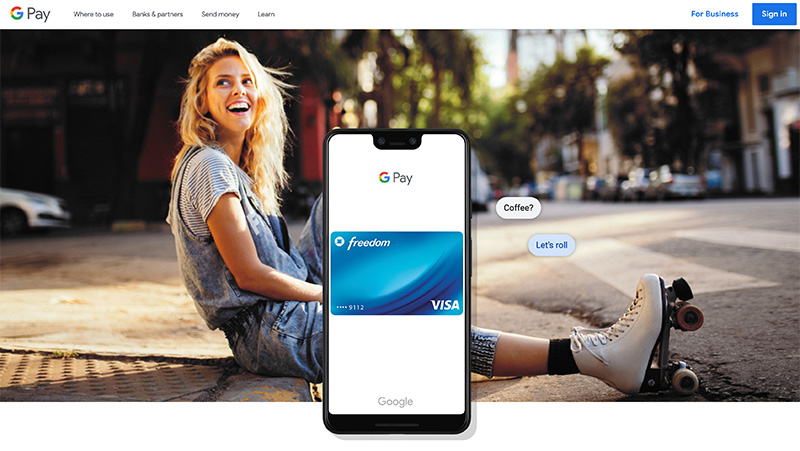
what is google pay - homepage

Google Pay is a mobile service that enables users to purchase products and services using a compatible android phone with an NFC chip. You can also use Google Pay with a tablet or watch. This online payment system and digital wallet provides a convenient solution for customers in the digital world.

It’s also an excellent way for merchants to give their consumers more options on how to pay. As you may already know if you’re a business owner, offering extra options like android pay and google wallet payments instantly makes your store more appealing.

Google Pay allows users to enjoy the benefits of contactless payments without using a physical visa or MasterCard. You don’t need to carry your wallet with you to use your google account or remember your credit card number. If you have a compatible card on your device, then you’re already ready to go. In order to use Google Pay effectively, all you need to do is download the app and sign into your Google account.

You can access Google Pay through the Google Play store on your Android phone. Once you’ve signed in, you can set up a preferred payment method which is where your transactions will happen every time you use Google Pay.

Business owners and merchants can use the Google Play service with their individual current accounts to begin accepting digital payments instantly. Payments will go straight to your bank account with Google pay, and there are no fees to worry about.

Key Features of Google Pay for Consumers

Google Pay has two levels to it. First of all, this is a digital wallet and convenient way to shop for consumers. With a mobile app, users can make purchase online, in-store, and in apps. Google Pay is also suitable for sending money to friends. For customers, features include:

  • Support for major banks in the US and 28 other countries
  • Integration with various mobile banking apps
  • In-store and in-app online payments
  • Accepted in more than a million stores accepting NFC
  • Use and save mobile tickets, transit cards, and boarding passes
  • Multiple layers of security preventing fraud
  • Request for cash in the app or send money
  • Transfer money to bank account instantly

Google Pay is a convenient way for customers to make payments in a range of environments for free, with absolutely no fees. You can easily set up and use this service, making it an appealing choice for customers that want a digital payment solution fast.

Key Features of Google Pay for Merchants

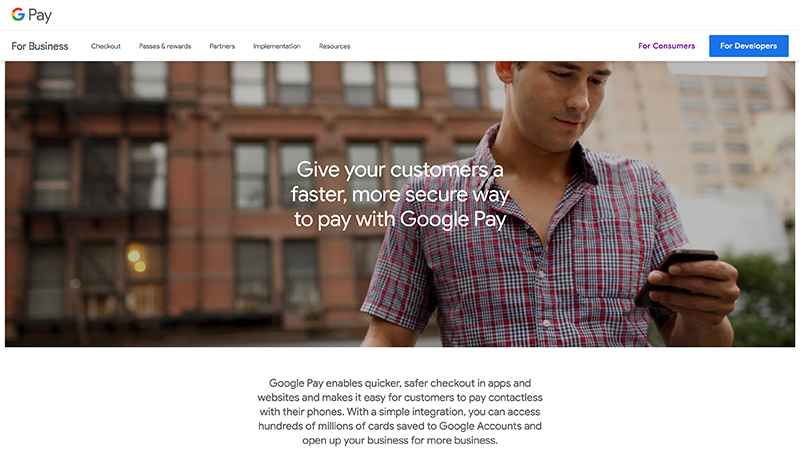
google pay for business

For merchants, Google Pay also has a lot of significant benefits and features to explore. You can easily integrate with the Google Pay API, so you can set the service up to work within your online store and other selling channels. For Companies, it’s easy to set up and use the Google Pay Account with the bank you’re already using to accept consumer payments.

With Google pay for Merchants, you get:

  • A custom business channel: It’s easier for customers to find your business using the Google Pay app.
  • Reduced costs: You can reach more consumers through the Pay app without having to increase expenses
  • Connect with customers: Share and create offers for customers using the business channel
  • Quick integration: Integrate with Google Pay easily and quickly. It takes minutes to get up and running.
  • Security: Google has a security platform called Google Pay Shield to protect merchants and fight against fraud and hacking.
  • Merchant support: Use the help center for support anytime or contact Google by phone or chat.
  • No extra fees: There are no extra fees required to process your transactions and access the money you make

Whether you’re running a small business or a larger enterprise, Google Pay offers the freedom and convenience that comes with a payment app that just works. You can accept payments from your customers faster and connect with customers however they choose.

How Does Google Pay Work? (For Customers)

For customers, Google Pay is a solution that quickly and easily integrates with various services that users already employ. Users can make in-app payments on mobile devices with a few taps and send ACH transfers to other people for free using Gmail. There’s also the tap and pay function for Google app enabled phones.

For customers, Google Pay is extremely easy to use. All you need to do is set up an account and link it to your favorite bank or credit according. Google Pay is supported by all of the four major banks in the USA. You can also set your account up with Visa, Discover, American Express and Mastercard.

Other banks and credit unions that support the app include Barclays, Discover, American Express, the US bank, and various others. Google Pay users can also easily add cards and bank information to the app. Thanks to the integration system, Google has partnered with several apps to make purchasing easy for consumers.

At present, Google Pay customers have the option to make payments through their account either in-app, or online. You can also make Google Pay payments in-store, and with various leading companies like Starbucks, Airbnb, Doordash, and Groupon.

Right now, Google Pay is available in 29 countries in total for in-app and contactless payments, provided that you use a compatible device and the right cards. However, it’s worth noting that not all Google Pay features are available to all countries.

How Does Google Pay Work? (For Businesses)

Google Pay is a way for merchants to accept easy mobile payments from their customers for various goods and services. Customers simply add their credit and debit cards into their Google wallet. When they use Google Pay for a purchase, the buying process is quick and simple. All your customers need to do is tap their device against a payment processing system, or use a button in an app.

Customers need to wake their device before they can make a payment in a store. For some larger purchases, they can be required to unlock the device too. Google Pay processes transactions using debit and credit cards previously added to Google Pay. Google Pay does all of the hard work, and customers don’t even need to open the app.

After their purchase is complete, customers will see a payment confirmation on your point of sale terminal, and the details of the transaction will show on their device.

To accept Google Pay online, merchants will need to set up the Google Pay API. This involves using the Google Pay for Payments API solution. You can add a button to your store that makes taking payments a breeze.

Companies using Google Pay as a method of managing transactions can also see sales figures and important information at a glance on their account page.

Notably, not all of the features available for Google Pay will be accessible in every country. Some features are restricted to certain areas. Fore instance, you can’t use the train and bus payment features outside of countries like the US, UK, Cana, Russia, Japan, Australia, Singapore, and the Ukraine.

Google Pay Security

google pay security

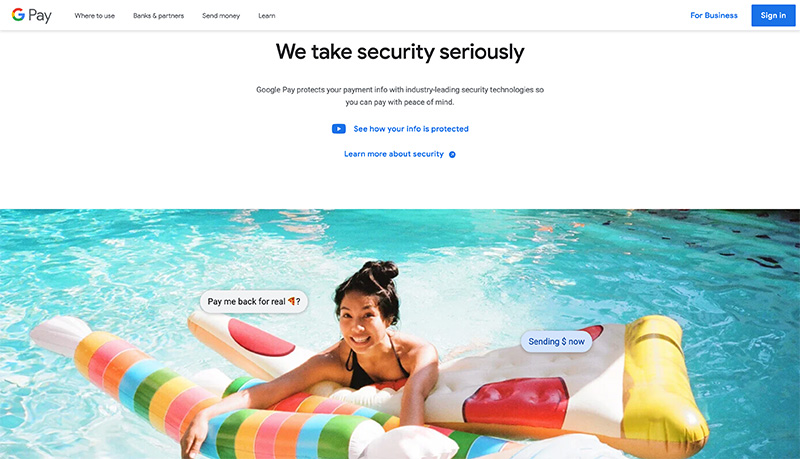
Security is one of the most important things you can consider when you’re choosing the right merchant services, or the right payment options as a consumer. Similar to other mobile wallets, Google Pay keeps things reasonably secure because it doesn’t send your credit card details anywhere. Instead, you get an encrypted code that’s delivered to the merchant.

The code goes from the merchant to the credit card issuer, who verifies that it’s correct. If you end up losing your phone, or the device gets stolen, there’s the option to erase Google Pay remotely. You can also increase your chances of protecting yourself at the checkout and elsewhere.

Setting up unique strong passwords for your account is a good start. Making sure you have a screen lock on your android devices or iPhone is another important step. You can also consider two-factor authentication.

Google will require you to enter a PIN for all near field communication (NFC) and debit or credit card payments. All transactions are encrypted with information that’s stored in remote locations.

The biggest issue with Google Pay from a security perspective is that if you lose a password for just one service with Google, it’s very easy for you to lose control on all of your accounts. You’ll need to be extra cautious about how you’re using your payment devices. Don’t share your virtual account number with anyone.

If you lose your device, make sure that you remove your payment information immediately. You can prevent Google pay send from issuing payments by using the find my device service.

Google Pay, PayPal, and Rewards

There are a few other bonuses to consider with Google Pay. First, it’s worth noting that customers can link their PayPal account to their wallet so that they can pay using that method as well as their debit or credit card. PayPal may occasionally ask the consumer to add funds their account if they’re running low, however.

Although you will have to add your card information to your Google account and choose the right checkmark for your payment information every time you spend, you don’t have to enter a huge amount of detail every time. Usually, you can complete a payment with your fingerprint or a passcode. The process is very similar to using a smartwatch for a wallet, or Samsung pay.

Whether you’re paying through debit card, credit card or PayPal, however, make sure that the retailer you’re shopping with can support Google pay for store purchases. If they can’t take this wallet option at their payment terminal, they may need to request money through a different payment option.

Fortunately for merchants, the fact that not everyone will take Google pay or details from a PayPal account for payment gives you an excellent way to differentiate your brand.

Another bonus that Google Pay uses to keep customers happy is the option to access loyalty program and gift card options. You can use G Pay with gift cards and loyalty cards on iOS and Android, provided that they’re accepted by the retailer.

At this point, in most places and around the United States, you won’t be able to use an ATM with Google Pay. You might need your actual card number and a physical card for this instead. However, the option to use android apps like Google Pay to make payments with gift cards and loyalty details is a nice touch. You can use these cards on online stores like Amazon, or in real life by accessing the card when making a purchase.

Google Pay Pros and Cons

Google has a lot of great products to offer these days, from Google Chrome, to the G-Suite. Some people will find it extremely helpful to use something like Google Pay to manage transactions. As a merchant, it also means that you can have a new way to set yourself apart from similar companies in the United States.

As long as your customers have the option to download Google Pay from the app store, they’ll have another way to interact with you. On the other hand, like many android apps and payment methods, there’s always the risk that Google Pay might not work exactly like it should.

Pros 👍

  • Good quality of customer service from Google
  • Secure payment method for Amazon, online sites, and offline stores
  • Great way for merchants to differentiate themselves
  • Instant payments make shopping much easier
  • Simple interface on Android, apple device, or iPad
  • Good alternative to Venmo, ATM cash and credit/debit cards

Cons 👎

  • Issues with app performance could make customers unhappy
  • You might struggle with making payments at times
  • Funds don’t always appear in accounts quickly
  • Not all online and offline stores can accept Google pay

Should You Use Google Pay?

As a consumer, using Google Pay is a good idea if you want an extra way to make payments when you’re online or offline, the service is easy to use and there are no complicated setup requirements. Just make sure that you do your best to keep your payment details secure.

As a merchant, providing Google Pay as an option for customers could mean that you can outshine your competition and open the door to more transactions. Clients like having a range of options for payments, and mobile transactions are becoming more popular.

The key to success as a merchant or customer is doing your research and making sure you follow the best practices available when using Google Pay. Keep your data secure, and make sure that you’re careful about where and how you use your mobile wallets. These tools can be convenient, but they’re not bulletproof in terms of security.

The post What is Google Pay and How Does It Work? (Nov 2020) appeared first on Ecommerce Platforms.


from Ecommerce Platforms https://ift.tt/3nneBVw
via IFTTT

A Quick Look at Chargify Pricing and a Comprehensive Chargify Review

Are you scouring the web looking for a break down of Chargify pricing? Or, are you after a quick Chargify review? Either way, you're in the right place because that's precisely what you'll find here in this blog post. Below, we're going to dive into exactly what Chargify has to offer and how much it charges for its products.

There's lots to cover with this elastic billing system, so without further ado, let's get to it!

Chargify Features

chargify review - homepage

Chargify splits its product into five categories:

  1. Billing
  2. Subscription management
  3. Accounting
  4. Analytics
  5. Integrations

Let's look at each one of these in turn…

Billing Management

If you're managing recurring billing, you'll be pleased to hear that Chargify empowers you to experiment with different recurring payment models. This gives you the freedom to test and adjust your pricing strategy to meet your consumer's needs best.

In fact, Chargify is so confident they can support your billing needs that they say on their website: ‘If you can imagine it, we can bill it.' – all that to say, there's a good chance that Chargify will the lay the foundations you need to be able to bill your customer in any way you please.

Here are some of the more popular billing structures Chargify users utilize:

  • Freemium: Offer a free giveaway to drive traffic and grow your email list
  • Trial: Offer users either a free or paid trial period. You can set the trial as long or short as you please.
  • Setup: Charge a one-time setup fee (either when the customer signs up or after a trial period expires).
  • Billing frequencies: Bill consumers weekly, monthly, quarterly, annually – or create your own custom billing periods.
  • One-time charges: Create a one-off payment at any time.
  • Fixed-price subscription billing: Just define the regular price of your product/service and billing frequency, and the billing software takes care of the rest!
  • Usage-based pricing: Charge customers only when they consume your products and/or services.
  • Quantity-based: Charge customers based on the number of items they're subscribing to – for example, the number of user licenses they've purchased.
  • Metered: Bill for units that reset to zero at the end of the billing date. For instance, minutes used on a mobile phone contract.
  • Per unit usage-based pricing: No matter the quantity, you charge the same cost per unit. So, whether a shopper purchases one or one million units, they pay the same price per unit.
  • Volume usage-based pricing: Here, you can set multiple price brackets where the price per unit hinges on the shopper's number of units purchased.
  • Stair-step usage-based pricing: Again, you can set numerous price brackets. However, in this instance, the pricing is based on a range instead of a per-unit basis.
  • Hybrid pricing: As its name suggests, this is where you combine multiple billing models to create a hybrid-style system.
  • Pay as you go: This is self-explanatory, so we won't bother going into any detail here!
  • Invoicing: Again, this is pretty self-explanatory.
  • À La Carte Pricing: Here, you can sell an array of products and/or services and empower consumers to create a “bundle” based on their specific needs.
  • Multi-frequency pricing: This enables you to link more than one subscription to individual customers so that you can charge the subscriber for several subscriptions across different billing periods.
  • Minimum or maximum pricing: This is a more advanced pricing structure that comes in handy if you need to set a minimum or maximum price for your products/services.
  • Custom pricing: Here, you can customize the recurring charges you bill each customer – ideal for non-profits.
  • Split-amount pricing: This enables you to define a specific cost or percentage amount to be paid upfront. Then, the customer is due to pay the remaining balance upon delivering the product or service.
  • Perpetual license pricing: You can collect a one-off upfront payment and then proceed with recurring “maintenance and support” costs.

Subscription Management

chargify subscription management

Chargify provides everything you need to track and manage your subscriptions throughout the customer lifecycle. As time passes, your subscribers build up a history with your brand – most notably, renewals, chopping and changing between different subscriptions and pricing plans,  the promotional offers they purchase, etc.. Fortunately, you can manage all of that (and more) with Chargify.

Chargify provides you with a centralized interface where you can keep an eye on all your subscription activity. From here, you can access:

  • Plan changes
  • Your customer's billing history, current balances, and renewal dates
  • Active coupons
  • Customer notes

You can also edit:

  • Customer details and billing info
  • Your customer's preferred subscription plans
  • Component quantities
  • Price points
  • Customer balances

Not to mention, you can also:

  • Apply discounts
  • Process refunds
  • Take a note of external payments.

On top of that, you also have complete control over your sign-up experience. Chargify offers a couple of ways to sign up your audience up to whatever you're offering. For starters, you could use one of Chargify's customizable, PCI-compliant signup pages. Rest assured, these boast responsive design, so they look fabulous no matter which device visitors use. Plus, you can indicate which credit cards your payment gateway (PayPal, Stripe, Braintree Blue, etc.) accepts. This simple touch works wonders for helping guide potential subscribers through the sign-up process.

You could also use Chargify's API (providing you have the coding smarts) to integrate your own signup forms and/or shopping cart process. The choice is yours!

To make your life (and your team's) easier, Chargify also enables you to provide customers with a self-service option without having to write a single line of code. By this we mean, subscribers can access a ‘Billing Portal' where they can upgrade/downgrade as they please, review their billing history, and manage their account-related info.

You can even launch automated emails at different stages of the customer lifecycle. Chargify comes with an array of entirely customizable templates across the following topics:

  • Welcome emails
  • Notification that the customer's trial is ending
  • An upcoming renewal notice
  • A receipt after a transaction
  • A notification that the subscriber's card on file is expiring

…These are just a few examples, but you get the gist.

Accounting

chargify pricing

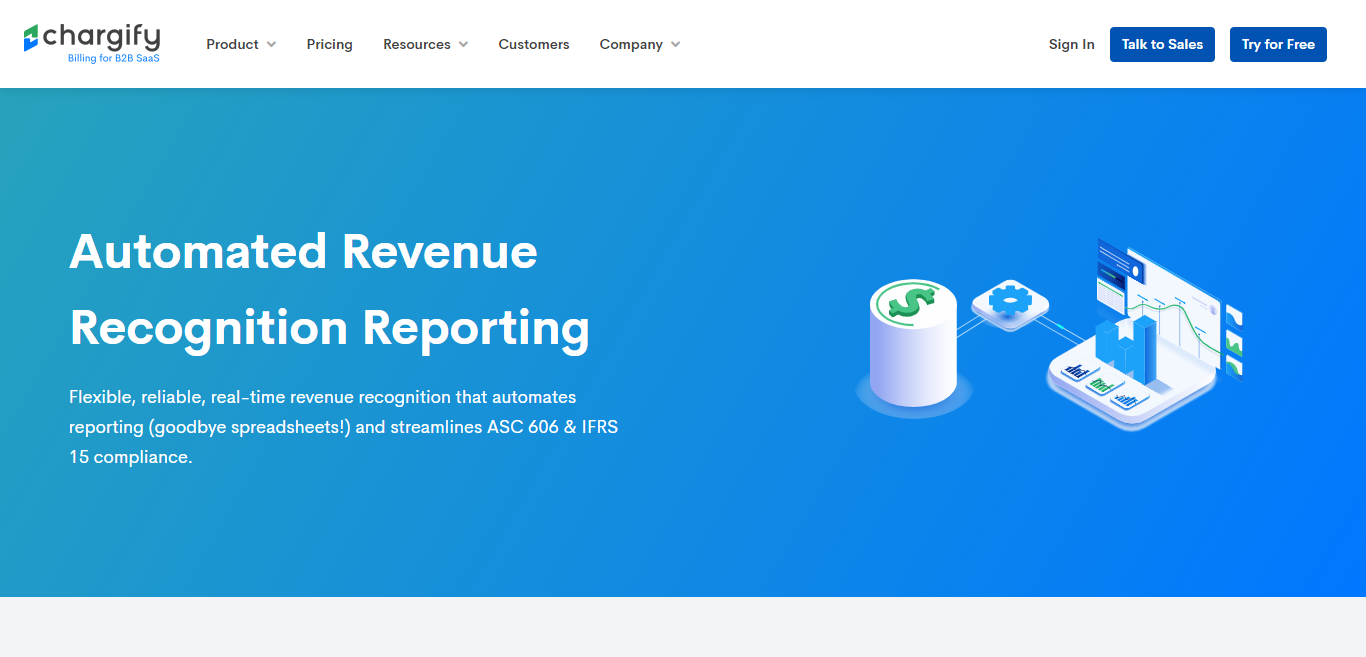
Chargify prides itself on the fact their real-time revenue recognition feature. This works wonders for automating your reporting and streamlining ASC 606 & IFRS 15 compliance. As you probably already know, as of 2019, all international companies must report their revenue in a way that complies with these accounting standards. This is made so much easier when you have a reliable solution that can automatically generate reliable revenue reports. These are based on daily rather than monthly calculations to ensure reliability and accuracy.

You can also generate deferred revenue balance reports detailing revenue that you haven't “earned” yet. This gives you a better idea of the obligation you have to deliver products and/or services in the future. Over time, your deferred revenue decreases as it converts into genuine income.

When you generate reports using Chargify, you'll get a breakdown of every component in your product catalog. Here, you can filter through this data by product name and easily export your data for any given period.

Analytics

chargify subscription pricing

In terms of analytics, you'll be relieved to hear Chargify provides reliable, real-time SaaS insights. On top of that, you get access to pretty sophisticated reporting tools, like offer-lever filtering. This functionality gives you a better understanding of your customer adoption, retention, price elasticity, and so on.

Over time, you'll get a greater understanding of your monthly recurring revenue – what's driving it, trends, your customer base, etc. In fact, you can even focus on individual movements for each subscription – which makes it easier to optimize what's working for your business.

If you want, you can even opt to receive a daily summary of your revenue movements sent directly to your email inbox.

Best of all, Chargify's reports enable you to see core metrics at a glance, most notably:

  • Churn count
  • Start of period count
  • Gross MRR churn
  • Net MRR churn
  • Retention cohorts

The same goes for financial reporting. With just a few clicks, you'll get a granular view of your:

  • Total revenue
  • Total billed (total revenue and any applicable taxes)
  • Payments (including collected, expected, and uncollected)
  • Net Revenue: Total revenue minus refunds for previously received payments

Not only that, but as Chargify keeps such a close eye on the numbers, it's able to prompt you to take a proactive approach when it comes to monitoring subscription changes and revenue. For instance, you can create revenue alerts, where you define changes to income that trigger a real-time email and in-app notification. This makes it much easier to monitor high-value conversions and potential churn risks.

It's also worth noting that Chargify automates your sales commission calculations. By this, we mean you're able to associate revenue with specific sales reps in real-time to ensure your team is paid the correct commission owed to them.

Integrations

chargify integrations

Chargify offers loads of integrations across various categories, so much so that we don't have time to list them all here in this Chargify review. In light of that, we're just going to draw attention to some of Chargify's most popular add-ons:

  • Authorize.net
  • MailChimp
  • Avalara
  • Midigator
  • NetSuite
  • QuickBooks
  • Salesforce
  • Zendesk

Chargify Pricing

chargify pricing

Now, the section you've all been waiting for: Chargify pricing.

Chargify offers three pricing packages to choose from Scaling, Success, and Specialized. So, let's take a look at what each has to offer…

The Cheapest Chargify Pricing Plan: Scaling

The first Chargify pricing program will set you back $299 a month. It includes $50,000 a month of revenue plus 1.0% of revenue on overages.
For this, you get access to:
  • Subscriber relationship management features
  • Subscription and usage pricing models
  • Account activity tracking
  • Advanced sales tax automation
  • Hosted signup pages

The Success Plan

At $499 a month, the Success package certainly hikes up in price. This includes $50,000 a month of revenue and 0.9% of revenue on overages.

The Success plan comes with everything in the Scaling bundle and:

  • Unlimited Product Configurations
  • Advanced MRR & Churn Analytics
  • Trial to Paid Subscription Insights
  • Marketing Campaign Attribution
  • QuickBooks Online & Xero Integrations

The Most Expensive Chargify Pricing Plan: Specialized

This is the most expensive and comprehensive Chargify pricing package, and as such, it requires you to contact Chargify directly to receive a customized quote. Although each ‘Specialized' plan is tailored to meet the specific needs of your business, we know that at the very least, you get everything in the previous two programs, plus:
  • Revenue operations
  • Predictive forecasting
  • Automated sales and vendor commission calculations
  • Multi-layer account configuration
  • Netsuite and SalesForce integrations

Chargify Review: Chargify's Customer Support

Chargify's self-help section is pretty extensive – over on their documentation page, you can search for the answers you're looking for, and there's an excellent chance you'll find it. Their knowledgebase is nothing short of extensive.

Alternatively, Chargify's customer service team is available 24/7. More specifically, you can access phone support on 800-401-2414. On top of that, there's also a thriving community of Chargify users. Over on the forums, you can network with other developers, entrepreneurs and get your questions answered.

Chargify Review: Dunning Management

With Chargify‘s automated dunning, this billing management software attempts to retake customer payments in the event of a failed credit card transaction or a direct debit payment that doesn't go through. Needless to say, this handy feature works wonders for retaining customers and boosting revenue.

Are You Ready to Start Using Chargify?

In short, if you're a B2B SaaS company looking to manage your monthly subscriptions. Chargify could be the payment processing and billing management system you've been looking for. It doesn't matter the company size – small business, startups, large enterprises, providing you've got the budget, Chargify is an excellent solution.

So, considering Chargify pricing and everything it has to offer, do you think you'll opt for this billing system? Or, will you go for one of the many Chargify alternatives – for instance, Recurly, Chargebee, Zuora… to name a few? Either way, let us know what you decide in the comments box below. We would love to hear from you!

The post A Quick Look at Chargify Pricing and a Comprehensive Chargify Review appeared first on Ecommerce Platforms.


from Ecommerce Platforms https://ift.tt/2IwMZyj
via IFTTT

Top 12 Shopify Alternatives (Nov 2020): Best Solutions Reviewed

While we simply can't deny the fact that Shopify is at least one of the top ecommerce platforms for creating and managing online stores today, there can exist some reasons for which you wish to explore its alternatives. No matter why you wish to look at them, here are the top 12 Shopify alternatives for your ready reference, with my brief review of each.

Shopify is one of the best products out there for building an eCommerce store, but it has its limitations too. Some people find Shopify too expensive, or simply don’t like the back-end interface. Others prefer the idea of having more customization options with an open source solution like WooCommerce.

There’s no one-size-fits-all when it comes to selling online, so why not experiment with the idea of which ecommerce service is best for you?

The Best Shopify Alternatives

If you’re searching for the ultimate eCommerce solution to help you build your online store, you’ve probably considered the benefits of Shopify before. After all, as ecommerce solutions go, Shopify is one of the best-known tools on the market. Offering everything you need to get started, from web hosting to unlimited bandwidth, Shopify can form a crucial part of your business plan.

However, as the digital world has continued to grow, companies of all shapes and sizes have found themselves searching for a wider selection of web design tools. After all, while Shopify offers a lot of benefits, like the option to choose your own domain name, and select integrations from a comprehensive app store, it’s not the best tool for everyone. Some people will want to do more with their storefront and backend design than Shopify canotther. Certain business leaders will want more flexibility with their web design, or access to unique eCommerce software.

Just before you start though, you might want to take a look at our Shopify reviews and Shopify Pricing guide.

Btw, here's a video review of Shopify created by my colleague Joe. 🙂

YouTube video

Shopify Alternatives: Wix

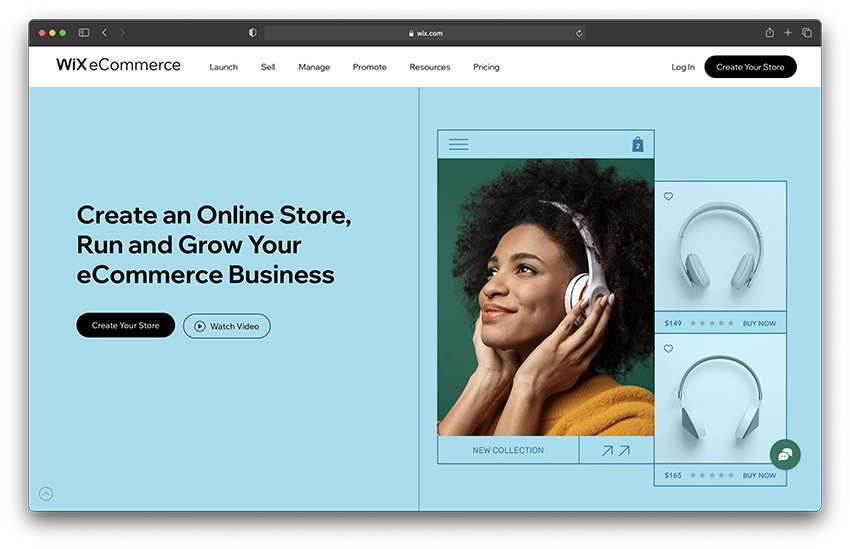
wix online store - shopify alternative

Last, but not least on our list of Shopify alternatives, is Wix. This state-of-the-art website building service offers an experience that’s very similar to Shopify, provided through a hosted service. You don’t need to worry about things like back-end management and security when you’re using a hosted service.

Wix isn’t the most advanced option in the world, and it comes with limited access to various WordPress plugins and support. However, as Shopify competitors go, this is one of the cheaper options on the market – making it ideal for small businesses and people on a budget. Additionally, Wix has a handy drag-and-drop builder included too.

There are transaction fees to consider with Wix, although you do get your hands on a free SSL certificate, which could help you to save some much-needed cash.

Pricing 💰

Wix is one of the more affordable alternatives to Shopify with a pricing plan that starts with a free option if you just want basic features. To access eCommerce solutions, you will need to upgrade to the Business Basic plan starting at $23 per month. The more functionality you want, the more you’ll need to pay. There’s also a Business VIP suite with full functionality for those who can’t afford to compromise on site performance

Pros 👍

  • Lots of themes to customize your website
  • Various secure payment options for customers
  • Lots of plugins and apps to choose from
  • Starts with a free plan
  • Lots of ways to create loyal customers, like discounts

Cons 👎

  • Minimal ecommerce features
  • Difficult to export data

Who is it Best For? ✅

Choose Wix as your Shopify alternative if you’re looking for an easy and straightforward way to start building a store with minimal technical knowledge and support. There’s tons of themes to help you get started, and you get various features that will help you to strengthen your brand’s position online, although the eCommerce functionality on Wix is a little limited compared to options like Shopify that focus heavily on sales. Wix is great if you want basic features, with no complicated tools to discover.

Shopify Alternatives: BigCommerce

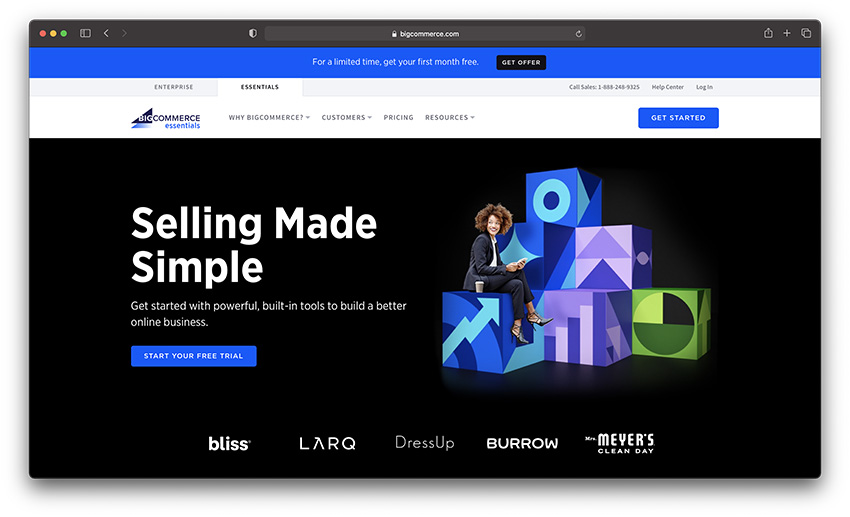
shopify alternatives - bigcommerce

An industry leader with a comprehensive set of standard ecommerce platform features and some extras on top. The Standard plan is quite affordable at $29.95 per month, and the rich feature-list makes it a Shopify alternative worthy of your consideration.

BigCommerce stands out among the SaaS market as one of the leading tools for helping companies to build their own custom website. The product comes packaged with a wide selection of custom templates to help you get started. All you need to do is pay an affordable monthly subscription, and you get a sensational Shopify competitor and website builder perfect for larger companies.

The BigCommerce builder comes with support for unlimited bandwidth, search engine optimization, a range of checkout options and more. It’s great for building a user-friendly ecommerce store. On the downside, there’s no support for RSS feeds, and it can be difficult to manage your store on the go, as there aren’t any mobile apps at this stage.

Pricing 💰

BigCommerce comes with a range of pricing options to choose from, starting at around $29.95 per month for the cheapest package. Although this might seem a little expensive at first, it’s surprisingly good when you consider all the features you get. Some of the higher-end packages are a little pricey, starting at around $79.95 per month, and ranging up to $299.95 per month. If you want a custom solution, check out the Enterprise service available via quote.

Pros 👍

  • In-built visual tools to help build your store
  • No transaction fees to worry about
  • Unlimited storage, bandwidth and product options
  • Large selection of free apps to choose from
  • Product review and rating options
  • Excellent for cross-selling purposes

Cons 👎

  • Pricing is a little complicated
  • Not the best selection of themes
  • Not easy to set up

Who is it Best For? ✅

BigCommerce is a great choice if you’re in the process of expanding your business and seeking new opportunities. There are tons of features already built into the experience, so you don’t have to worry about using an app market like you would with something like Shopify. If you want everything in one place, BigCommerce will suit you.

Shopify Alternatives: Squarespace

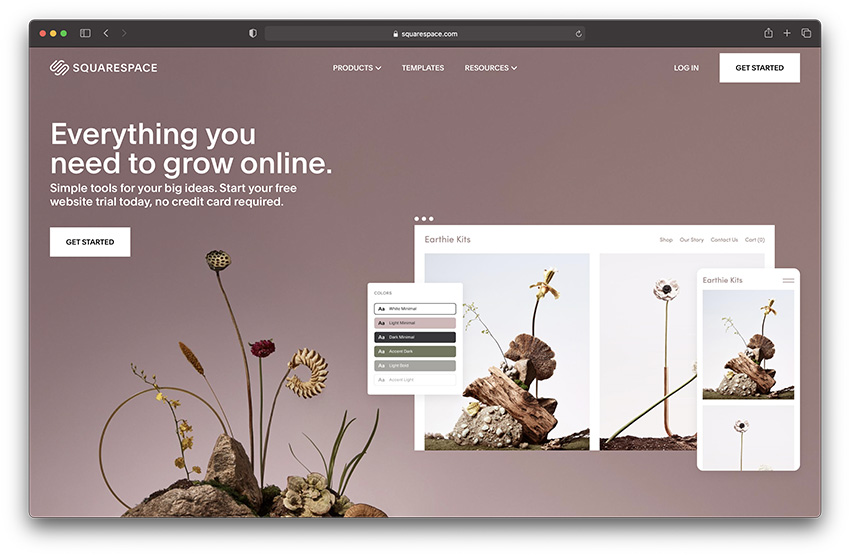
shopify alternatives - squarespace

Not limiting itself as a generic ecommerce platform for traditional businesses, Squarespace also provides specific features for various types of professionals such as artists, musicians, bloggers etc. too, at a price range that starts at $26/mo, making it one of the top Shopify alternatives.

Squarespace is one of the better known website builders on the market today, particularly well suited to small businesses thanks to its ease of use. If you’re looking for an eCommerce solution that will help you to sell unlimited products online, then Squarespace could be just the tool for you. Great for use with a range of plugins and social media site, Squarespace offers access to a wide selection of helpful capabilities.

You can access a cover-page builder, G-Suite integration, and Getty image installation. There’s also a better blogging tool with Squarespace than you have with most of the best Shopify alternatives. If your plan is to build a reliable presence online with incredible content, then this could be the tool for you.

Pricing 💰

Pricing for Squarespace is simple enough to follow. You only pay for what you need and nothing else. Plus, customer support 24/7 comes as part of the package. There’s a plan that starts at $18 per month if you’re looking for basic functionality, but prices can increase depending on the features you need. You’ll need at least the Commerce plan if you want to start selling online. Remember that if you want to save money with Squarespace, you can pay annually and save up to 30%. There’s also a free custom domain included.

Pros 👍

  • Excellent integrations with social media tools
  • Templates to choose from for any industry
  • Plans to suit your budget
  • Great for 24/7 support
  • Free domain if you get an annual plan

Cons 👎

  • Some hefty transaction fees
  • No app market for extensions
  • Limited range of options for payments

Who is it Best For? ✅

Squarespace is best for companies that want plenty of freedom to make creative changes to their site, and ensure they stand out from the crowd. This incredible tool has a similar builder to Wix, and is very easy to use, but it’s also limited in some functionalities when compared to options like Shopify. You won’t get the same access to eCommerce functions with Squarespace.

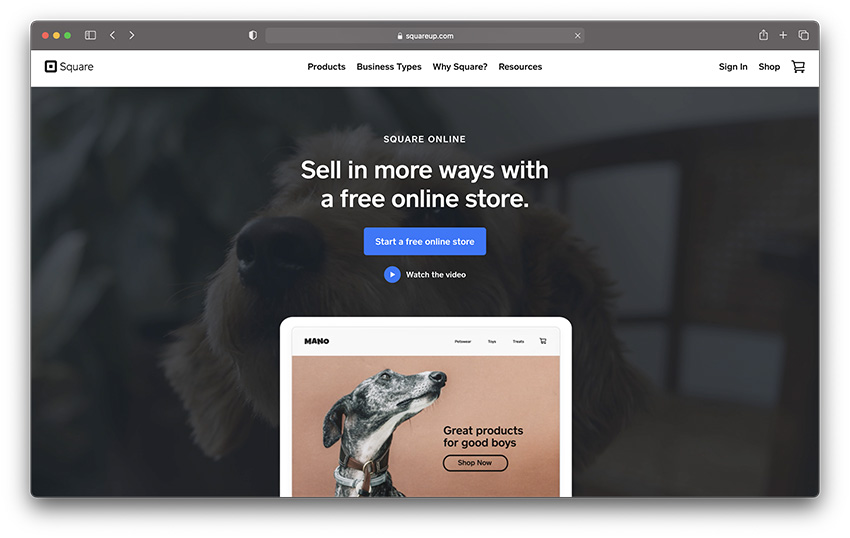
Shopify Alternatives: Square Online

square online store shopify alternative

If you’re a huge fan of the Square range of ecommerce and selling products, then you’ll love this fantastic alternative to Shopify selling. Square Online Store is the free online store building service that comes with your Square POS. You can use this solution to build an immersive website for free, although you will need to pay for your own hosting.

Square Online Store is best suited to people who already feel comfortable and familiar with the Square experience. If you have a brick and mortar store, and you use your Square system to take payments in person, then Square will help you to transform your digital landscape too.

Although Square is free to access, you will have fees to pay – such as 2.5% for every transaction.

Square online store also comes with access to a variety of plugins to simplify your online experience. However, it won’t be the easiest option to use if you’ve never experimented with Square before.

Pricing 💰

If you use Square to accept payments from offline customers, then it makes sense to use the same service for your online store too. The Square Online Store is a free-to-use service which comes with everything you need to start selling online. All you have to pay for is a small transaction fee whenever someone purchases something from you. The cost of Square can go up if you decide to add extra functionality and features into the mix, like integrations with advanced tools.

Pros 👍

  • Convenient choice if you’re familiar with Square already
  • Free to use until you want to upgrade your features
  • Easy to use for beginners in search of functionality
  • Fantastic range of inventory management tools
  • Combines offline and online selling
  • Fantastic for AI functionality

Cons 👎

  • Not many options for customization
  • You have to use Square for payment processing

Who is it Best For? ✅

Square Online Store makes the most sense as a Shopify alternative if you’re already using the Square ecosystem to take payments in the offline world. If you’re comfortable with Square payment processing and you feel like you want to take your store online too, then Square has you covered. There’s also a robust range of features to connect online and offline selling. We’d definitely recommend this solution if you’re selling offline from time to time. You can even sync your inventory and marketing features on the back end.

Shopify Alternatives: Volusion

Shopify Alternatives - Volusion

With plans and prices just about at par with Shopify (ranging from $15/mo. to $135/mo.) and lots of features to match including hundreds of modern, responsive themes etc., Volusion is certainly one of the top Shopify alternatives.

Volusion is one of the market leaders in the world of Shopify competitors for a number of reasons. Perhaps one of the most impressive features of this tool is how many payment gateway and checkout options it has to offer. With Volusion, you can accept payments virtually any way that you choose, including through Stripe, Paypal and more. This makes Volusion particularly useful for people who want an all-in-one eCommerce site.

Designed for business owners that want the perfect blend of unlimited bandwidth, real-time support, and sensational payment gateways, the Volusion service has plenty to offer today’s growing companies.

Pricing 💰

Prices for Volusion are pretty great, ranging from around $29 month if you choose the personal package. There’s a lot of different options that match Shopify in many ways, so you can have absolute control over everything you pay for. There’s a free trial to get you started, and you can also choose a Prime package if you’re interested in getting Enterprise quality support. You do need to earn a certain amount of cash per year to get this, however. Your pricing for Volusion will increase as your business grows.

Pros 👍

  • Access to tools for Search Engine Optimization
  • Plenty of options for which payment processor to use
  • Unlimited options for products
  • Support for in-depth reporting and analytics
  • Calculate shipping and tax easily

Cons 👎

  • Not the best blogging options
  • Bandwidth caps with each eCommerce plan
  • Not many free themes

Who is it Best For? ✅

Volusion stands out as one of the market leaders for companies that want an immersive tool with plenty of creative functionality. There’s access to a lot of visually beautiful customization options, and you can access SEO tools, although there aren’t any blogging options available as standard, so you will need to find an alternative for content marketing.

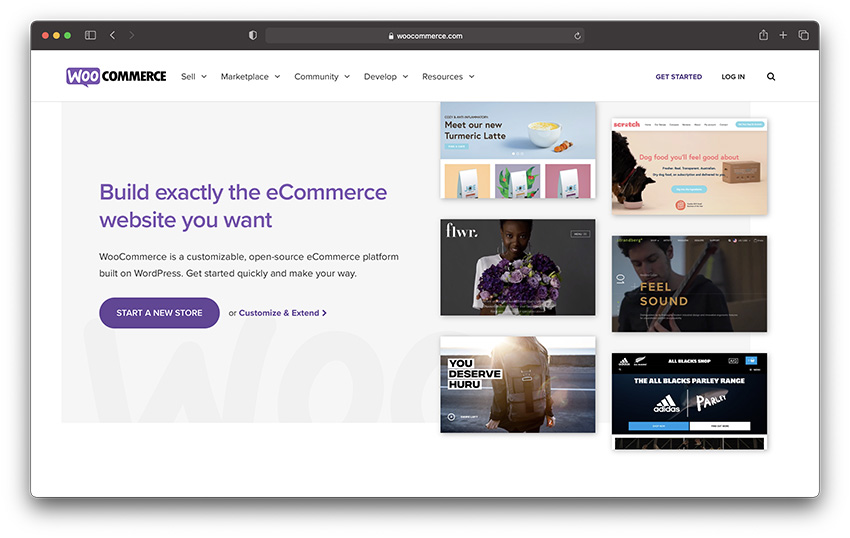
Shopify Alternatives: WooCommerce

Shopify Alternatives - WooCommerce

If you're using (or can use) the WordPress CMS as the basic platform for hosting your store, the wooCommerce plugin can be a good Shopify alternative for you. This plugin not only provides the regular ecommerce features, but also comes free.

WooCommerce is easily one of the best solutions on the market for lovers of WordPress that want to build their own online store from scratch. One of the most reliable WordPress plugins there is, WooCommerce makes it easy to build on your site with eCommerce functionality. WooCommerce is also open-source, which sets it apart from other online store builders that work with WordPress, like BigCommerce and Shopify.

WooCommerce makes it easy to customize every aspect of your WordPress online store, from beginning to end, additionally, it’s flexibility means that you can build extra features into your WooCommerce experience with CSS, HTML, and plugins. You can even use WooCommerce to track things like abandoned carts.

Pricing 💰

Because WooCommerce is open source, you don’t actually have to spend anything to get the software, you can download and use the service for free. However, you will need to pay for other things to get your website up and running. For instance, you need to find your own hosting plan for your online business. An open-source platform also comes with the need to implement various payment options and other premium tools.

Pros 👍

  • Unlimited creativity options to suit your needs
  • All the extra features you could find with open source access
  • Tons of affordable hosting options
  • No limit on your products or services
  • Builds on WordPress for freedom and creativity

Cons 👎

  • Demands technical knowledge
  • Lots of extra expenses to consider

Who is it Best For? ✅

WooCommerce is a state-of-the-art tool for people who have the creativity and professional skills to build various aspects of their own online store from scratch. If you love WordPress and you feel comfortable handling your entire business backend on your own, then WooCommerce could be the perfect choice. There are so many different ways to customize and improve your store with this solution. However, you will need to get some extra help, and use more technical knowledge than you would with a hosted solution.

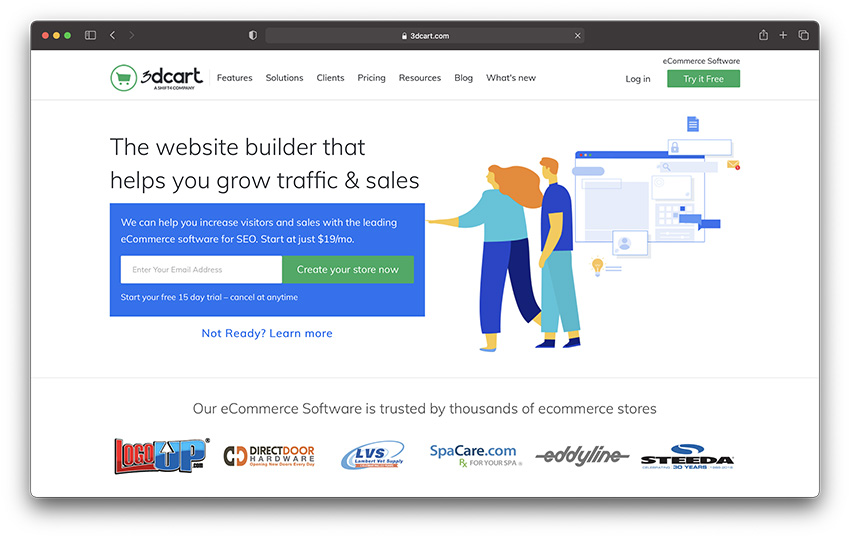
Shopify Alternatives: 3dCart

Shopify Alternatives - 3dcart

Loaded with all the standard features of an online shopping cart service with some extras like affiliate marketing program creation, dropshipping support etc. and priced just about at par with the average industry rates ($19/mo. To $129/mo.), 3dCart is another worthy substitute for Shopify.

One of the things that really makes 3dCart so compelling is how accessible the company makes its website design experience. You have complete control over your storefront. What’s more, you’ll have access to SSL certificates and advanced security, just like you get with Shopify. Despite supporting more than 100 different payment gateways, 3Dcart doesn’t charge any transaction fees. However, you’ll still have fees to pay, such as the transaction costs of your payment gateways, and shipping rates.

On the plus side, for small businesses in search of a Shopify competitor, 3dcart will ensure that you can take credit card payments with ease, thanks to comprehensive payment processing that go beyond Shopify Payments. There’s also a range of knowledge base solutions to choose from when you need help learning how to use this service.

Pricing 💰

Prices for 3dcart are extremely reasonable, which is part of why many people consider this product to be an excellent choice for online selling. You can launch a startup store for as little as $9.50 per month, although that price does go up to $19 per month after the promotional price is over. Prices range all the way from the $19 per month option to the $229 per month Pro store option which comes with multiple accounts for your staff.

Pros 👍

  • Excellent solution with tons of different ways to customize your store
  • Lots of features to explore on the lower plans too
  • Affordable for beginners and larger companies
  • Support for selling offline and offline
  • Free trial so you can test the tech first
  • Unlimited bandwidth and products

Cons 👎

  • Difficult for beginners to set up
  • Not the best themes to choose from
  • Not many apps to help update your store

Who is it Best For? ✅

3dcart is a good choice for business owners who want an all-in-one solution or selling. This sensational product comes with a wide range of features to explore, including inventory management tools to help you keep track of your products. You can also access a selection of customization options too, so you don’t have to worry about your store looking the same as countless competitors online.

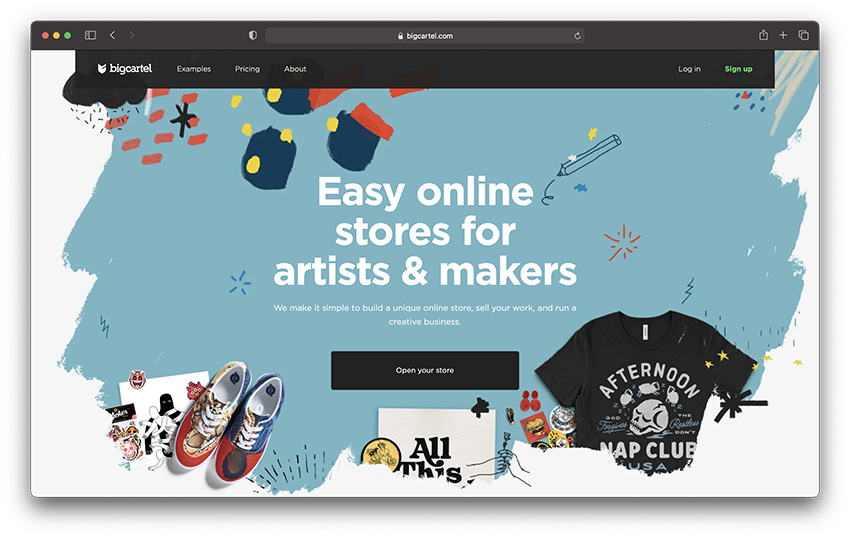
Shopify Alternatives: Big Cartel

Shopify Alternatives - big cartel

Big Cartel offers not only the usual ecommerce platform features at slightly less-than industry average prices ($9.99/mo. to $29.99/mo.), they even offer a free plan if you sell less than 5 products. If you do not sell – or plan to sell – over 300 products (the max limit at Big Cartel), this can be a good Shopify alternative for you.

Big Cartel is a state-of-the-art tool for ecommerce businesses, WordPress websites, and blogging. Like Shopify, it offers access to SEO tools, payment processing, and your own domain name, as well as SSL certificates. Also like Shopify, Big Cartel is a fully-hosted service, which means that you don’t have to worry about the learning curve that comes with hosting your own online store.

As Shopify alternatives go, Big Cartel is probably one of the easiest to use. Created for simplicity and ease-of-use, there are no transaction fees, and you’ll have no trouble managing things like unlimited products, order processing, and more. Inventory management is as smooth and simple as it gets, and there are plenty of plugins for things like SEO tools.

Although Shopify has a very simple experience to offer today’s business owners, Big Cartel is arguably a lot simpler to use, particularly for creative people who want to design very unique websites without worrying about the advanced features of other ecommerce website builders.

Pricing 💰

For smaller companies just getting started with online sales, Big Cartel is an excellent choice. You can sell up to five products for free without needing to enter any credit card details. 50 products will cost you $9.99 per month, and 250 products costs $19.99 per month. For $29.99 per month, you can sell up to 500 products, with no listing fees.

Pros 👍

  • Free plan to help get you started
  • Lots of custom domain options for branding
  • Great for making your website look unique
  • Easy to use with a convenient back end
  • No transaction fees required
  • Easy inventory management

Cons 👎

  • Does demand some coding knowledge
  • Limited range of options for payments
  • No advanced support

Who is it Best For? ✅

We’d recommend Big Cartel as the go-to- choice for smaller companies that are just getting started in online sales. You can potentially run your store for free if you have a limited number of products to sell. Plus, Big Cartel makes scaling easy once you get the hang of the available features, so you can build your store however you choose.

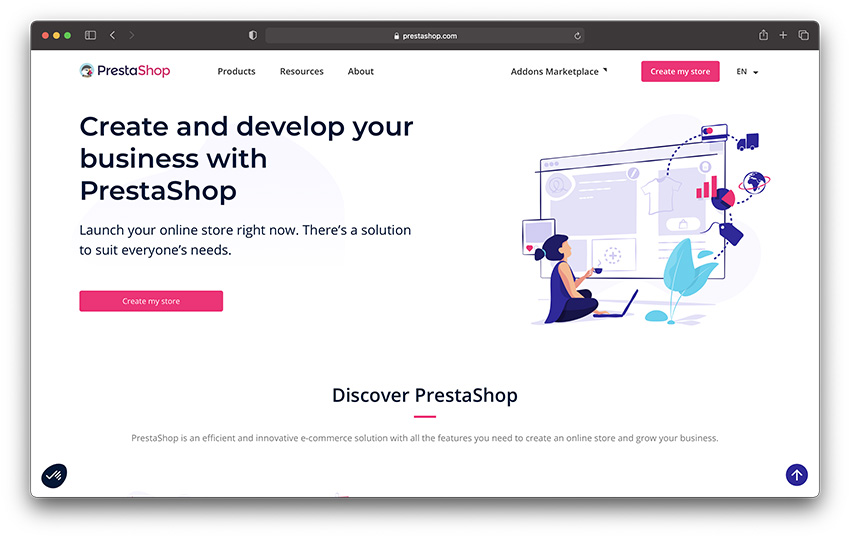
Shopify Alternatives: PrestaShop

Shopify Alternatives - prestashop

Another feature-rich and free platform that even gives you a choice to use their hosted service or go the self-hosted way. While their add-ons will cost you money, the basic platform usage is free. Certainly a viable alternative to Shopify.

Similar to WooCommerce, PrestaShop is another open-source solution that works well with plugins for Google analytics, eBay, Amazon, and many others. Unlike WooCommerce, however, you don’t have to be running a WordPress website to use PrestaShop, this tool works well with a range of other solutions too, such as Wix, and Magneto.

Because the open-source software comes with access to the internal coding for developers, you’ll be able to really transform every detail of your store. However, you will be required to set up your own solutions for things like hosting, security, and compliance. You will also need to remember that although the code is free to access, you’ll have to pay for your own web hosting, professional support and SSL for this website.

On the plus side, PrestaShop could be a great option for those with a little coding knowledge.

Pricing 💰

PrestaShop is one of the most attractive alternatives to Shopify available on the market today, because it’s totally free too use. There aren’t any pricing plans to worry about. Instead, you get powerful ecommerce features for free. However, you still need to pay for things like hosting and security on your own. As an open source product, PrestaShop doesn’t handle any of the back-end functionality for you.

Pros 👍

  • Free-to-use open source solution
  • Access to tons of creative options
  • Easy to install and use for beginners
  • Minimal technological knowledge required
  • Support for multiple currencies and languages
  • Choose your own hosting

Cons 👎

  • No back-end support or hosting
  • Limited scalability
  • No customer support

Who is it Best For? ✅

We’d recommend PrestaShop for smaller business owners that want a lot of freedom. The add-ons cost you a bit with this product, but you can launch your store for free, and start editing whenever you want. There’s also a lot of access to internal coding so you can adjust how everything works without having to deal with paid plans.

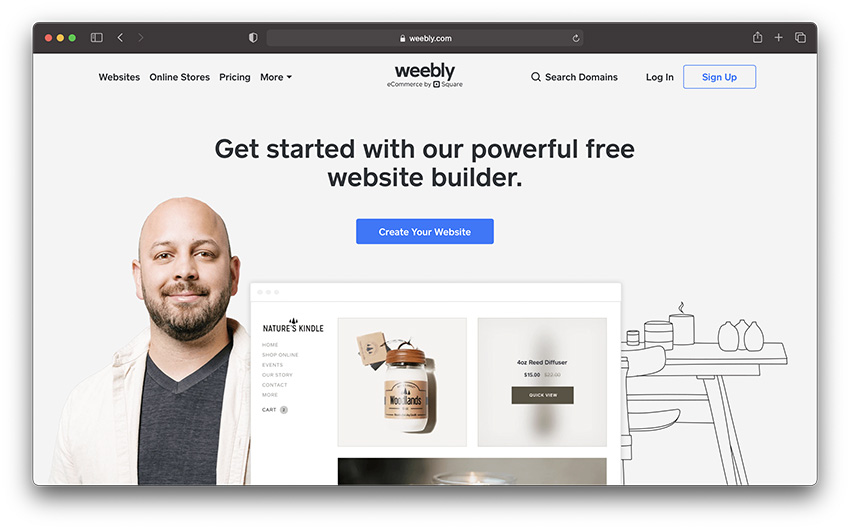
Shopify Alternatives: Weebly

SHopify Alternatives - weebly ecommerce platform

If you are looking for another easy to use platform then Weebly is a great alternative to the other platforms. You don't get close to the amount of features as Shopify, but their highest plan is a bit cheaper than the Shopify Basic Plan, so if you're short on money, Weebly is a solid choice.

Weebly is a fantastic option for anyone in search of simplicity straight out of the box. Weebly is a user-friendly experience for website designers, with ease access to everything from social media plugins, to Google analytics, and payment processing tools.

One of the cheaper options on the market today, Weebly is an immersive ecommerce platform excellent for any business that needs help getting started online. If you’re looking for a simple service that will help you to get started quickly, then Weebly could be just the thing. There’s even a free trial to help you test out your Shopify alternative before you invest.

Pricing 💰

Pricing for Weebly is very reasonable, starting at around $9 per month, although there is a free tier if you just want very basic features. The personal plan allows you to add a custom domain, while the professional plan for $16 per month comes with extra business features. If you want to run an online store, then you’re better off choosing the $29 per month plan instead. The more you spend, the more features you get.

Pros 👍

  • Excellent for beginners and one of the simplest tools on the market
  • Lots of responsive theme options to choose from
  • Wide selection of apps to explore
  • Team collaboration and membership areas
  • Affordable pricing with a free tier

Cons 👎

  • Not the best checkout options
  • Not suited to international stores
  • Limited customizations in some areas

Who is it Best For? ✅

Weebly is an excellent choice for beginners that don’t have a lot of cash to spend on their store, you can build a decent website without having to spend a fortune, and there’s even a free tier available to get you started. The environment is very easy to use, and the lack of a learning curve means that you can jump into action very quickly.

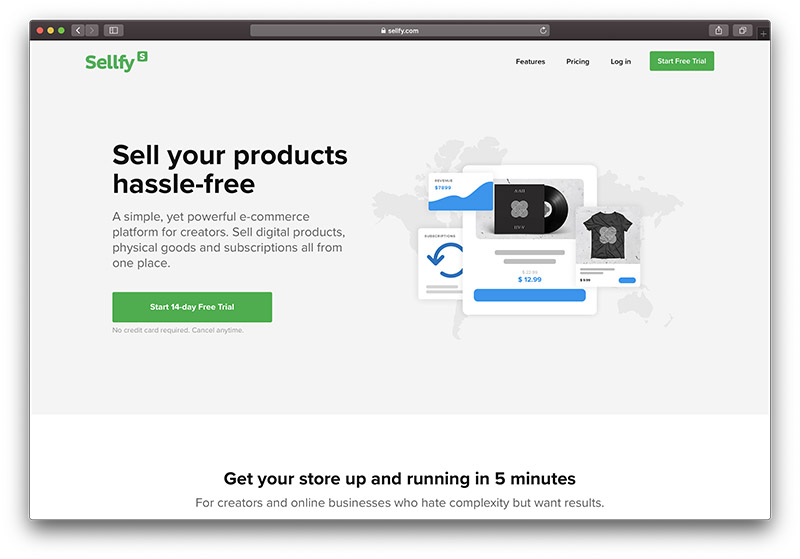
Shopify Alternatives: Sellfy

sell online with sellfy

Sellfy is a versatile online store builder that caters to merchants selling digital, physical, and subscription products. With its easy to use interface and numerous integrations, Sellfy is one of the best Shopify alternatives for selling digital products and offers an affordable pricing scheme.

After a 14-day trial, Sellfy’s plans start at $19 a month. This enables you to sell an unlimited number of products with 0% transaction fees. However, you can only generate $10k in sales a year. If you want to sell more than that, you'll have to upgrade your subscription, but for small to medium-sized sellers, this is an affordable option.

Pricing 💰

Pricing for Sellfy starts at around $19 per month, which allows you to manage up to $10k per year in online sales with absolutely no transaction fees required. You can also access discount codes and connect your own domain. To upgrade to business, you’ll need to spend around $29 per month, where as the premium option is available for $89 per month. The more you spend, the more you can sell each year with no limitations.

Pros 👍

  • Support for selling physical and digital goods
  • Simple and convenient user interface
  • Lots of buy now button embedding options
  • Mobile app for on-the-go management
  • Unlimited product options
  • Hassle-free checkout

Cons 👎

  • No free plan
  • Limited checkout and customization tools

Who is it Best For? ✅

We’d recommend Sellfy if you’re looking to sell a wide range of products online, including physical items, digital products and subscriptions. Every pricing package comes with access to unlimited products, and you get an embeddable buy now button too. There’s a shopping cart for quick checkout, and you can access mobile tools too.

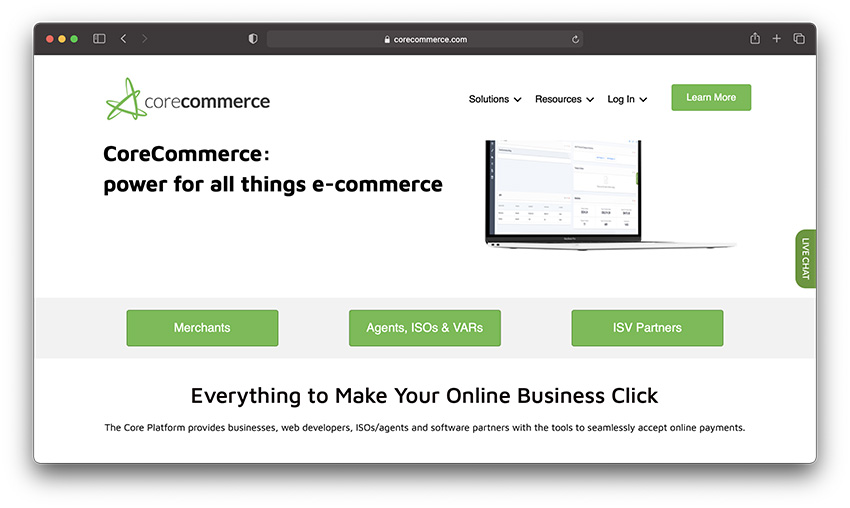
Shopify Alternatives: CoreCommerce

Shopify Alternatives - corecommerce

With free responsive themes (a very useful feature today) and a sizeable number of third-party app/service integrations (another useful feature) in addition to the regular ecommerce platform features, CoreCommerce is another one of the serious Shopify alternatives. While not amongst the cheapest ($39.99/mo. to $199.99/mo.), it would be worth checking out especially if you (plan to) sell to international markets, as their multi-lingual support is amongst the highest in the industry.

CoreCommerce stands out as one of the easier to use Shopify competitors on the market, with an intuitive interface that makes it easy to make changes to your store in real-time. Designed to simplify the process of building the perfect online store, this highly intuitive tool makes it easy to learn how to excel online. There’s access to plenty of free themes, and the pricing is great, even for premium plans.

However, compared to Shopify, the customization features are somewhat limited on CoreCommerce. For instance, you can’t organize your customers and potential leads according to where they are in the buying journey. This can be an important feature to have in an ecommerce platform.

Pricing 💰

Pricing for CoreCommerce starts at $29 per month for the basic plan, or you can upgrade to Pro for $79 per month. There’s a Business option for $229 per month, and you get all the extra features you could want with this solution, including advanced eCommerce with 256-bit encryption for your customer’s peace of mind and your website’s protection

Pros 👍

  • Secure selling environment with complete encryption
  • Back-ups daily for peace of mind
  • Lots of tutorials and step-by-step support
  • Easy to navigate interface
  • No complicated tools
  • Generous product packages with no hidden fees

Cons 👎

  • Some limitations on what you can do on smaller plans

Who is it Best For? ✅

We’d recommend this product for companies that need a very secure and robust back-end environment for online selling. You don’t need to spend a fortune to get great encryption and protection, and there’s tons of online support to help you get started, including tutorials, and help from live chat too. You can join the online forum for extra support, and the packages come with lots of generous features too.

Best Shopify Alternatives: FAQ

What are the best Shopify alternatives for large business?

There are a lot of things to consider when choosing the perfect Shopify alternative. The kind of website that you’re building will play a big part in finding the tool that works best for you. If you’re a particularly large company that needs to sell to customers around the world, you’re likely to have a better experience with solutions like BigCommerce and Magneto, than you would with Wix or Weebly.

What are the best open source Shopify alternatives?

Choosing the right Shopify competitor isn’t just about looking for something simple like ECWid, or finding something that supports Shopify payments. If you’re looking for a Shopify alternative that gives you more freedom to customize, then you might want to opt for an open-source service, rather than something that’s hosted. WooCommerce and Magento, for instance, are both excellent open source tools which give you complete freedom over your website.

What is the best free Shopify Alternative?

There are a couple of free alternatives to Shopify available on the market today. Just keep in mind that although these tools appear to be free at first, they will come with costs for your online store, such as the price of premium wordpress plugins, or transaction fees for shopify payments. Square online store is one of the best free options for people who already take payments in-store and in person with a Square point of sale solution.

What is a cheaper Shopify Alternative?

When searching through tools like Ecwid, BigCommerce, 3DCart, Volusion, and more, you’re probably going to be keeping a close eye on the tools that match your budget. There are a more cheaper Shopify alternatives out there, from Weebly to WooCommerce. However, Big Cartel is one of the cheapest of all.

Best Shopify Alternatives: Conclusion

As you would have noted above, you're not without options or alternatives to Shopify – not by a long shot. I hope my post above helps you find the platform that is most suited to your needs and budget. If it does, I'll graciously accept a pint from you one evening.

Pint or no pint, please do share your views below.

header image courtesy of Glenn Jones

The post Top 12 Shopify Alternatives (Nov 2020): Best Solutions Reviewed appeared first on Ecommerce Platforms.


from Ecommerce Platforms https://ift.tt/2z4GwVC
via IFTTT

New Government – Labour Small Business Agenda

We’ve are all waking up to a new Government today, with the Labour party about to take control of the country and what should be top of your...